



Table View
Introduction:
Table View is a new way to display your items through our search experience. This brings back the classic Big Book feel with "Good, Better, Best" layouts, making it easier to compare and choose products.
Detailed Step by Step Guide:
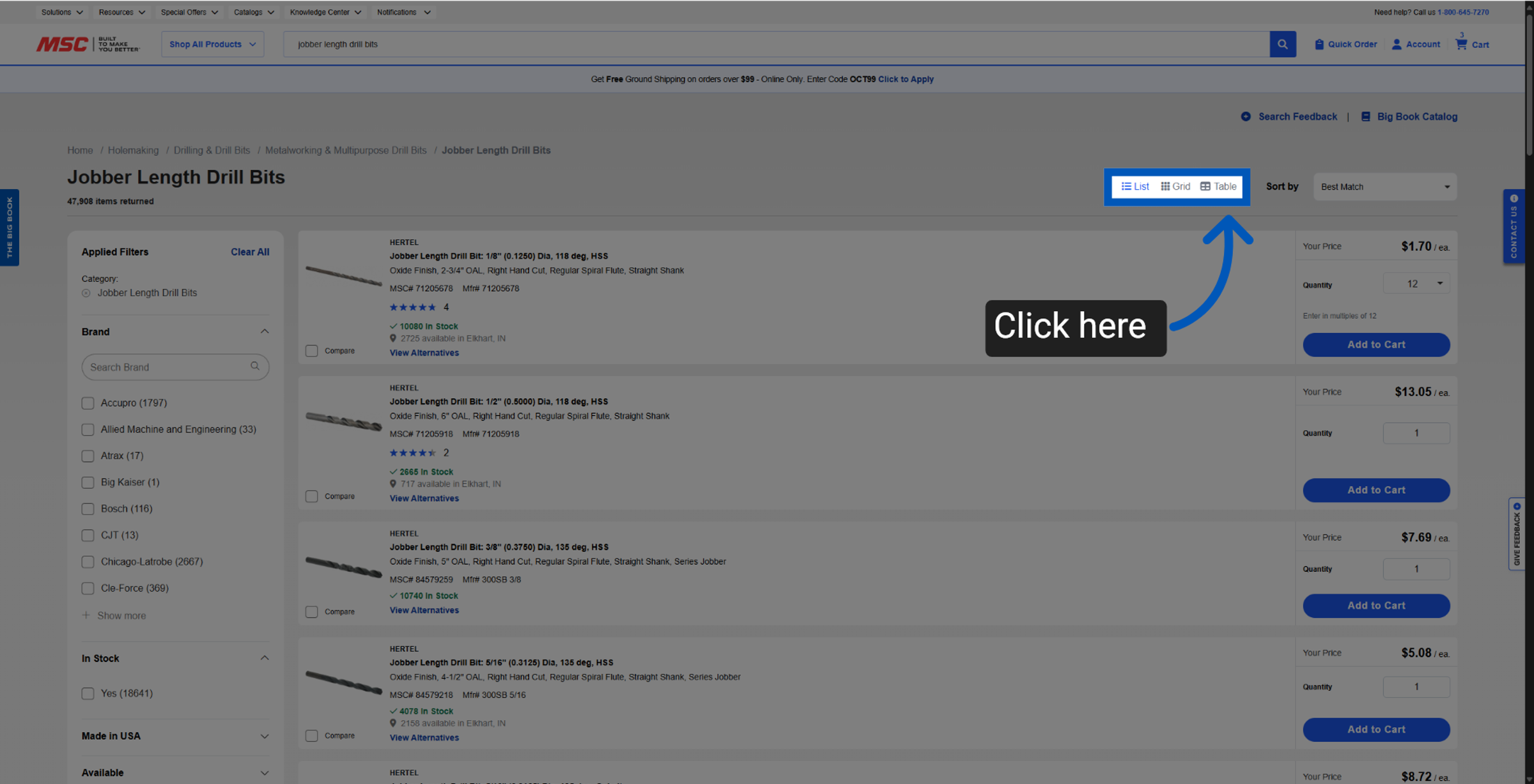
On any table view enabled category you can enable this view by clicking "Table" from the top right corner.
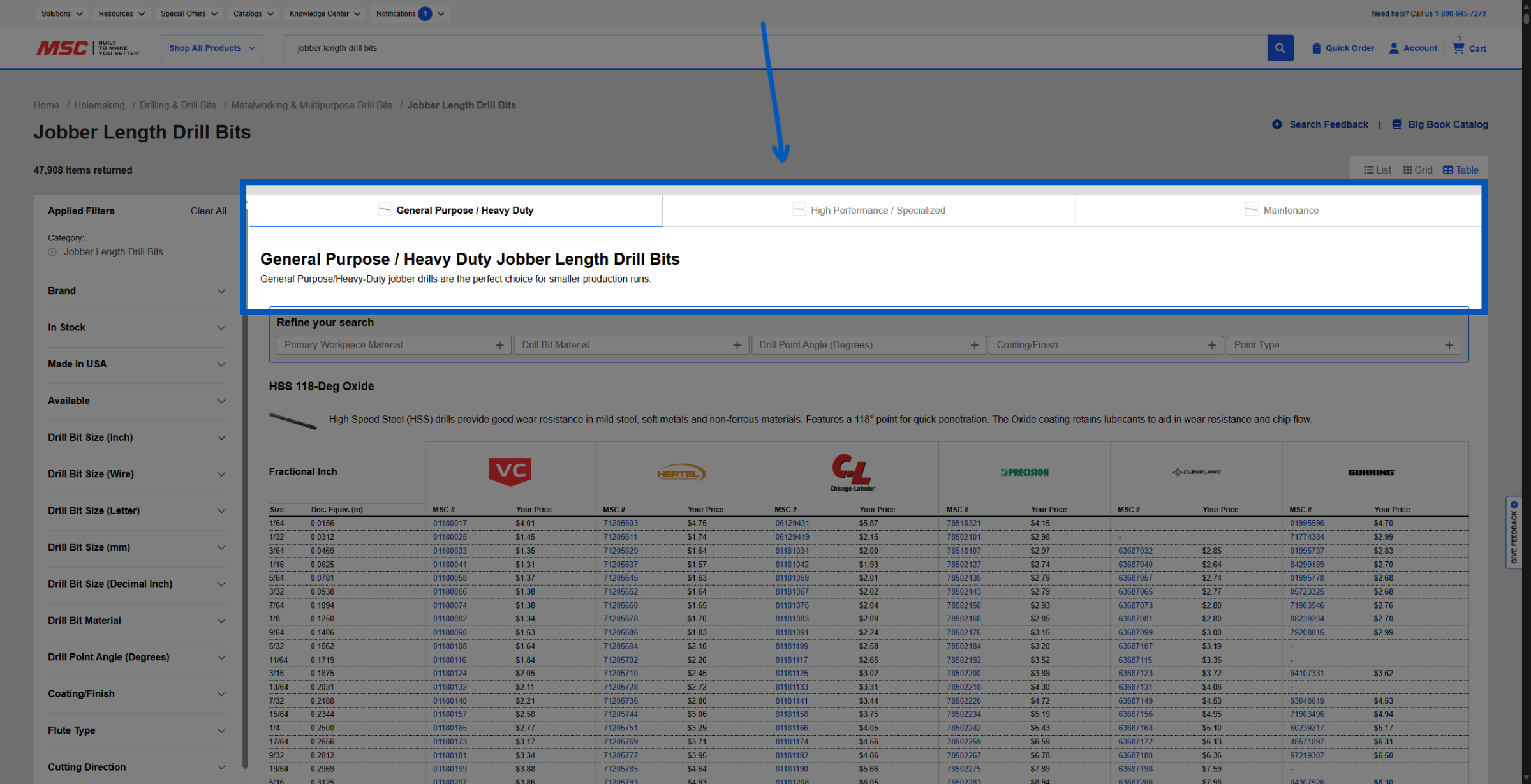
Tabs - Each tab has been curated to group items together by popular product type. These Tabs are designed to be a good starting point.
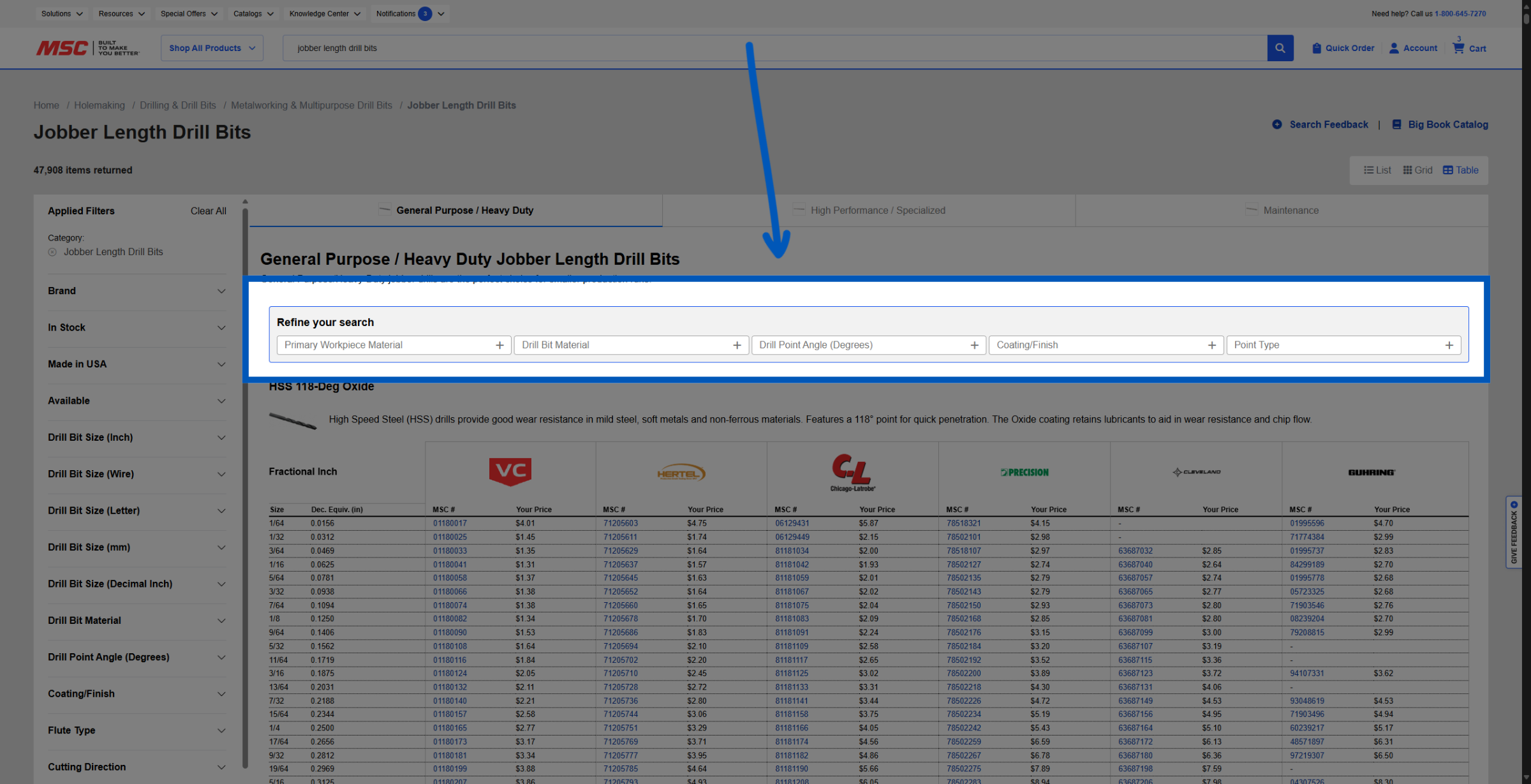
Tab Filters - You will be able to further refine your search, using this curated list of filters specific to each tab...
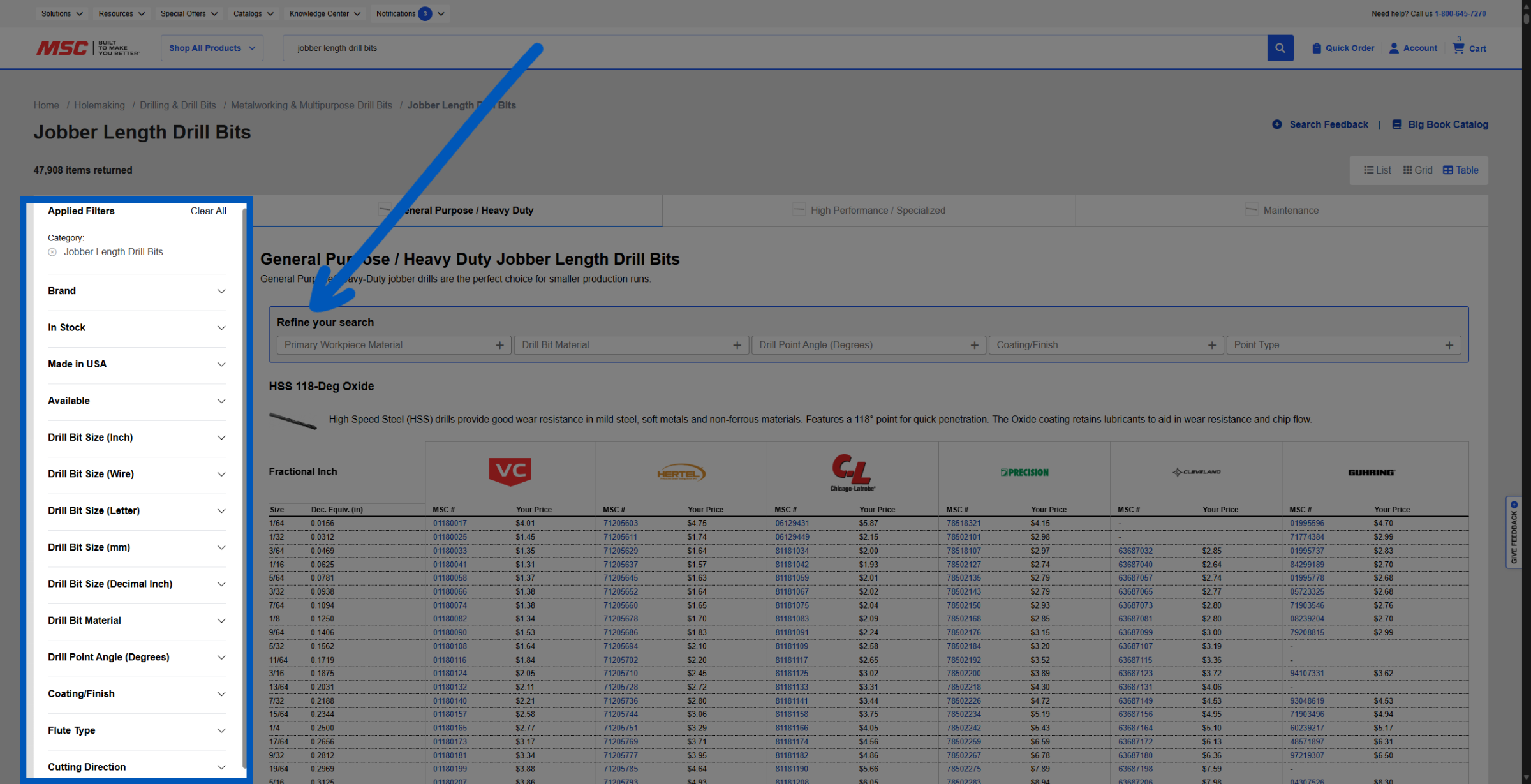
Filter Bar - You can also use the filters in the left navigation bar to refine your search. If the option you seek does not appear in this view, please try adjusting your filters in the left navigation bar.
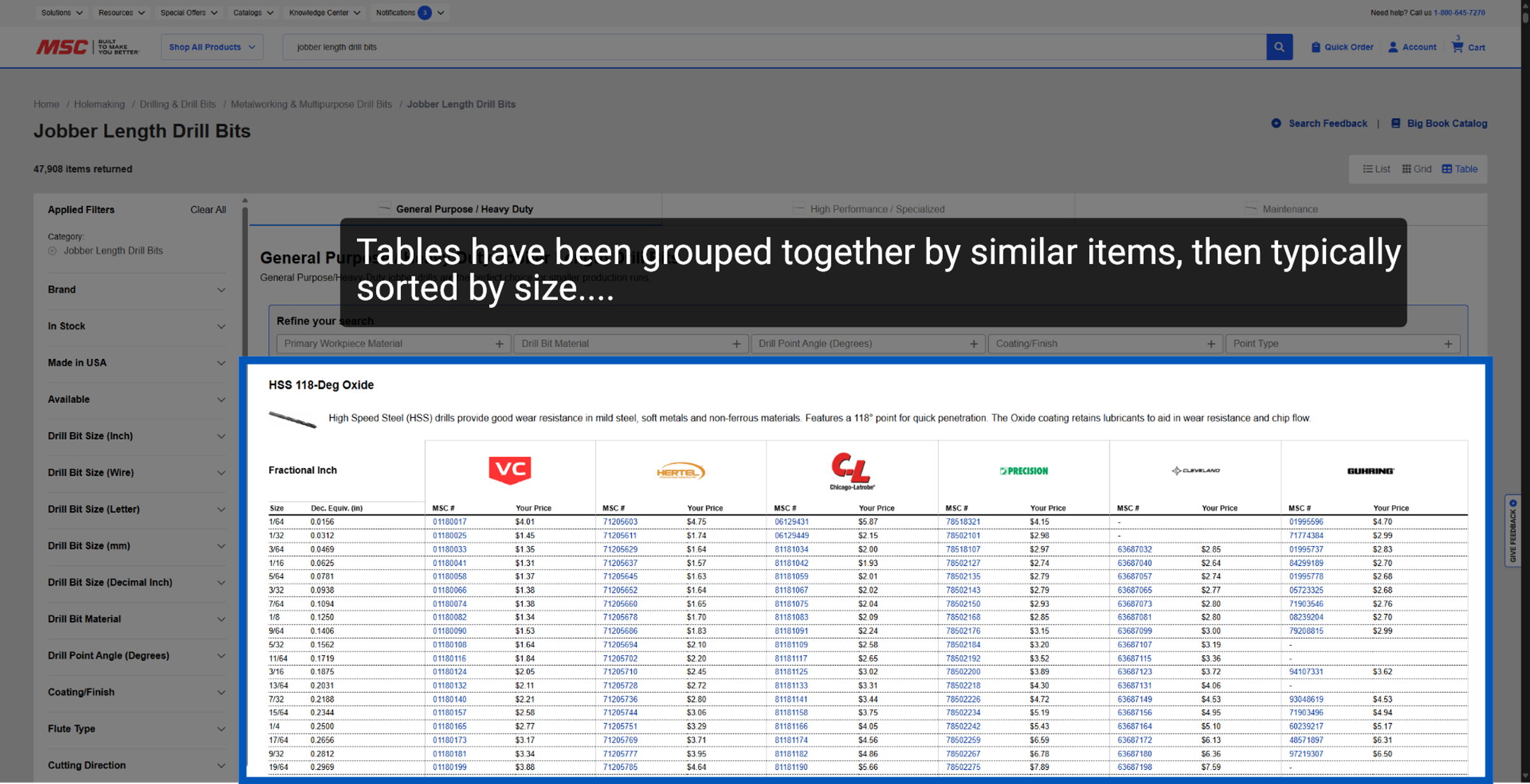
Tables - In this Table view we grouped products by brands that we recommend. This view is designed to allow you to compare multiple sizes and options at once.
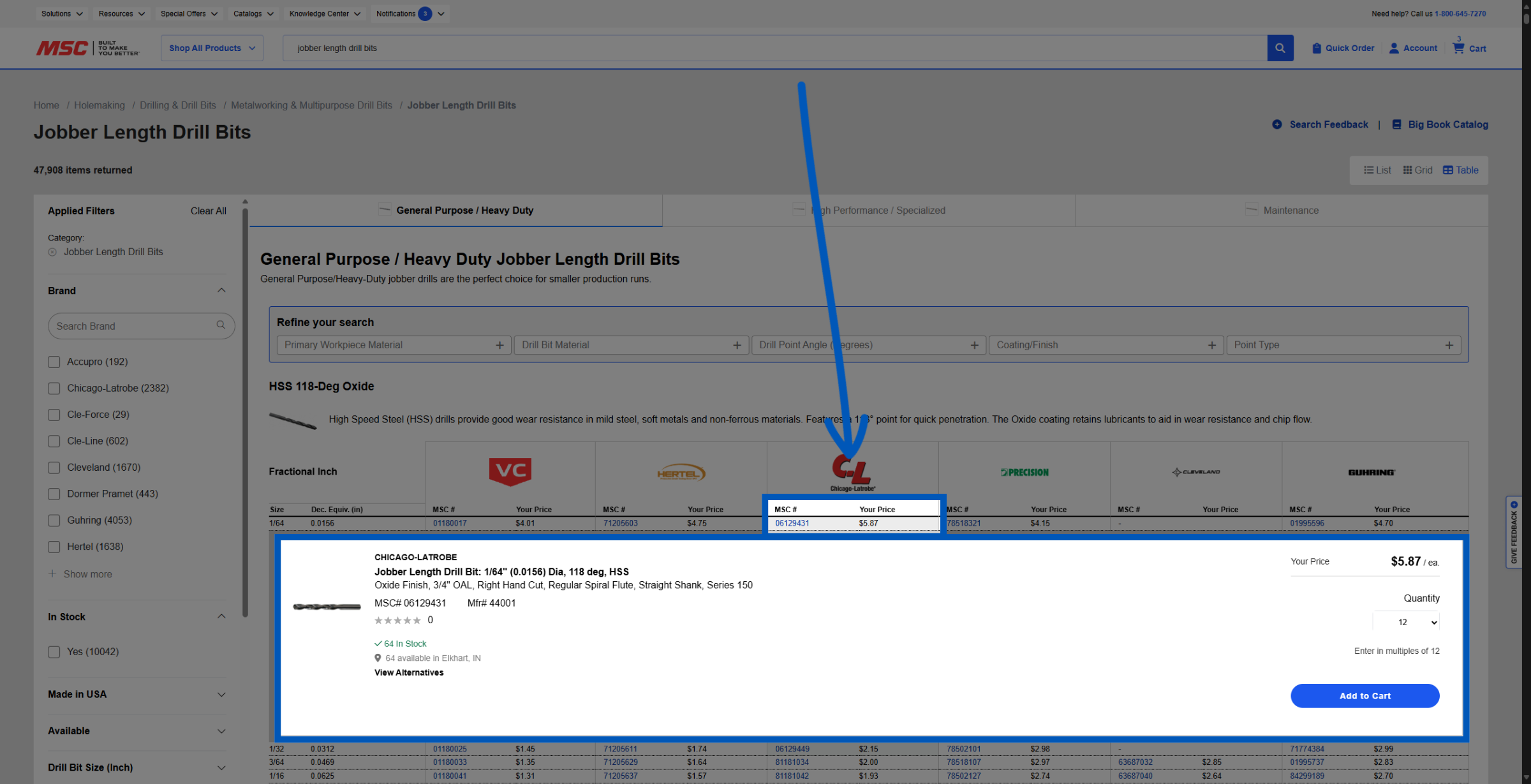
Item Details - This feature enables you to access additional information about your item. You can also adjust the quantity and easily add items to your cart.
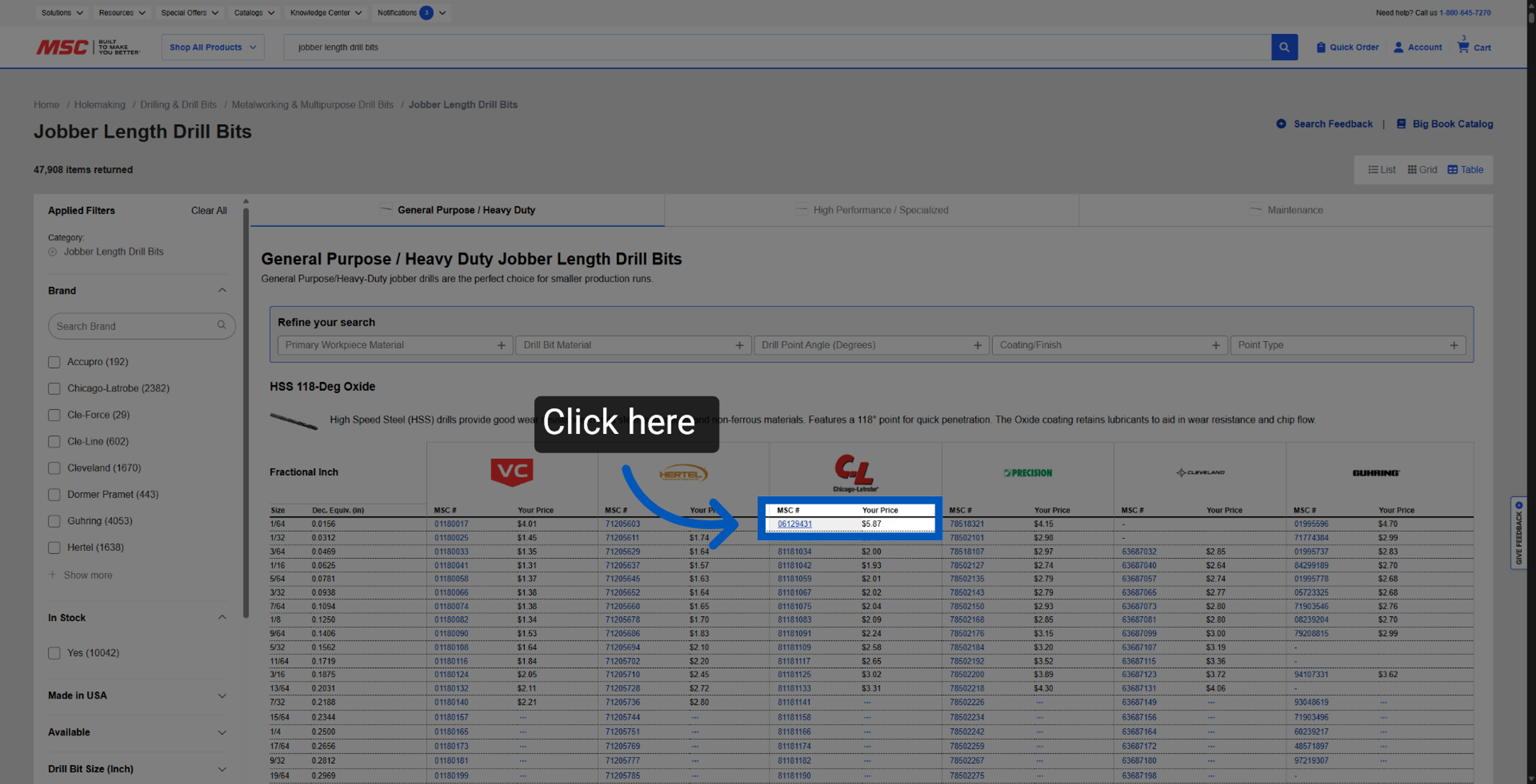
Accessing the Product Details Page - Clicking the item details will bring you to that specific item's details page.
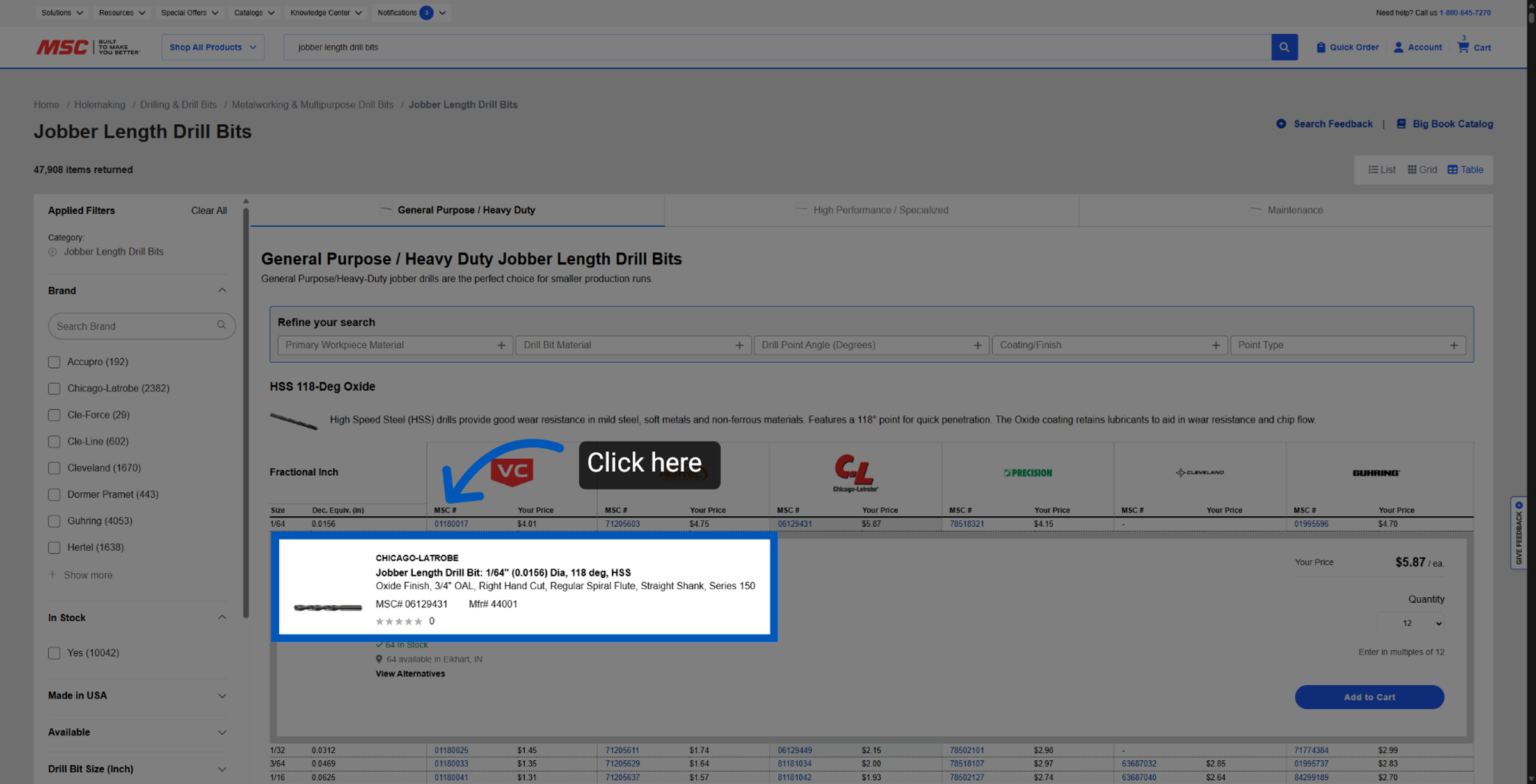
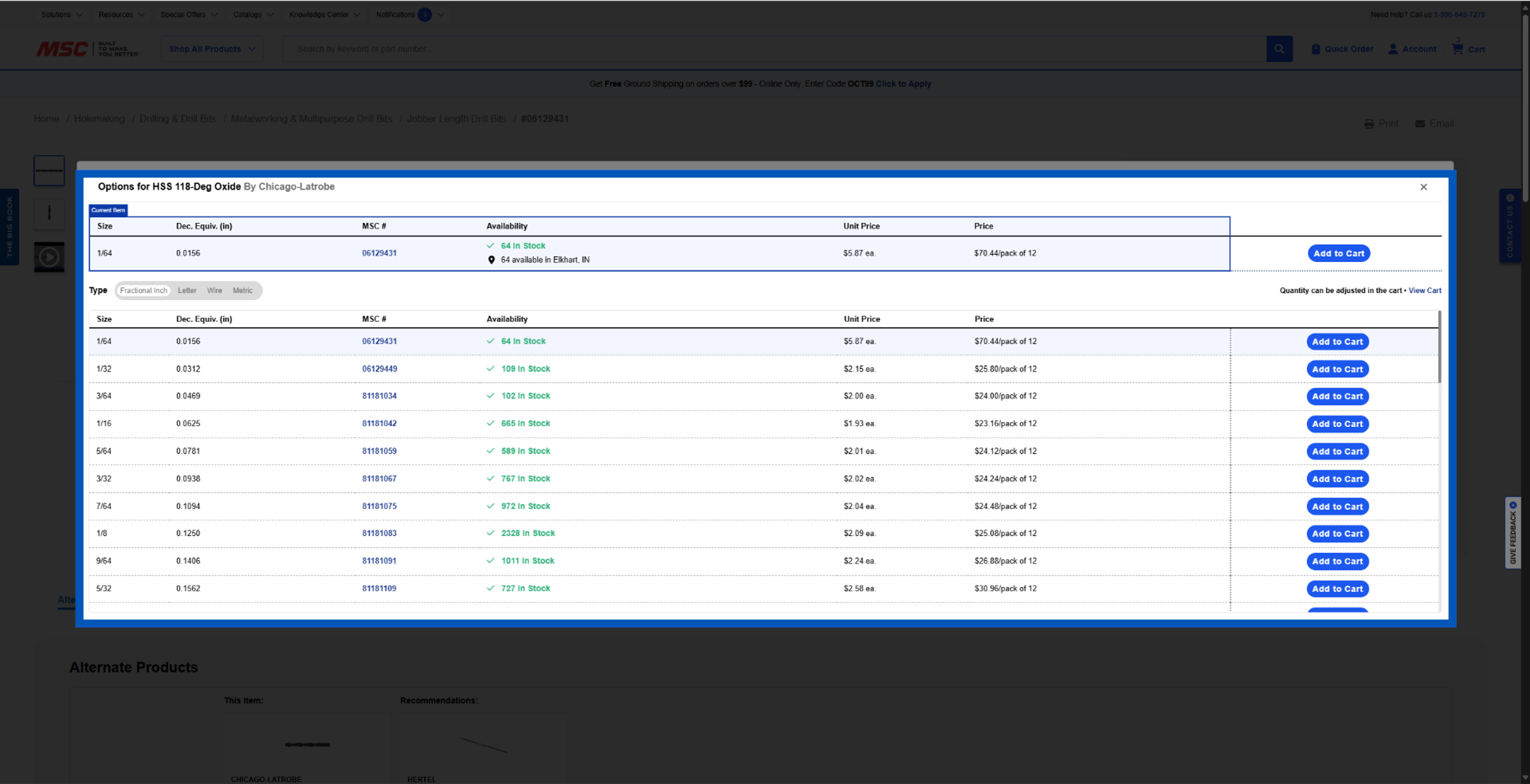
Table View on PDP - We now offer table view on the product details page. Click "Shop Product Range" to open the new feature.
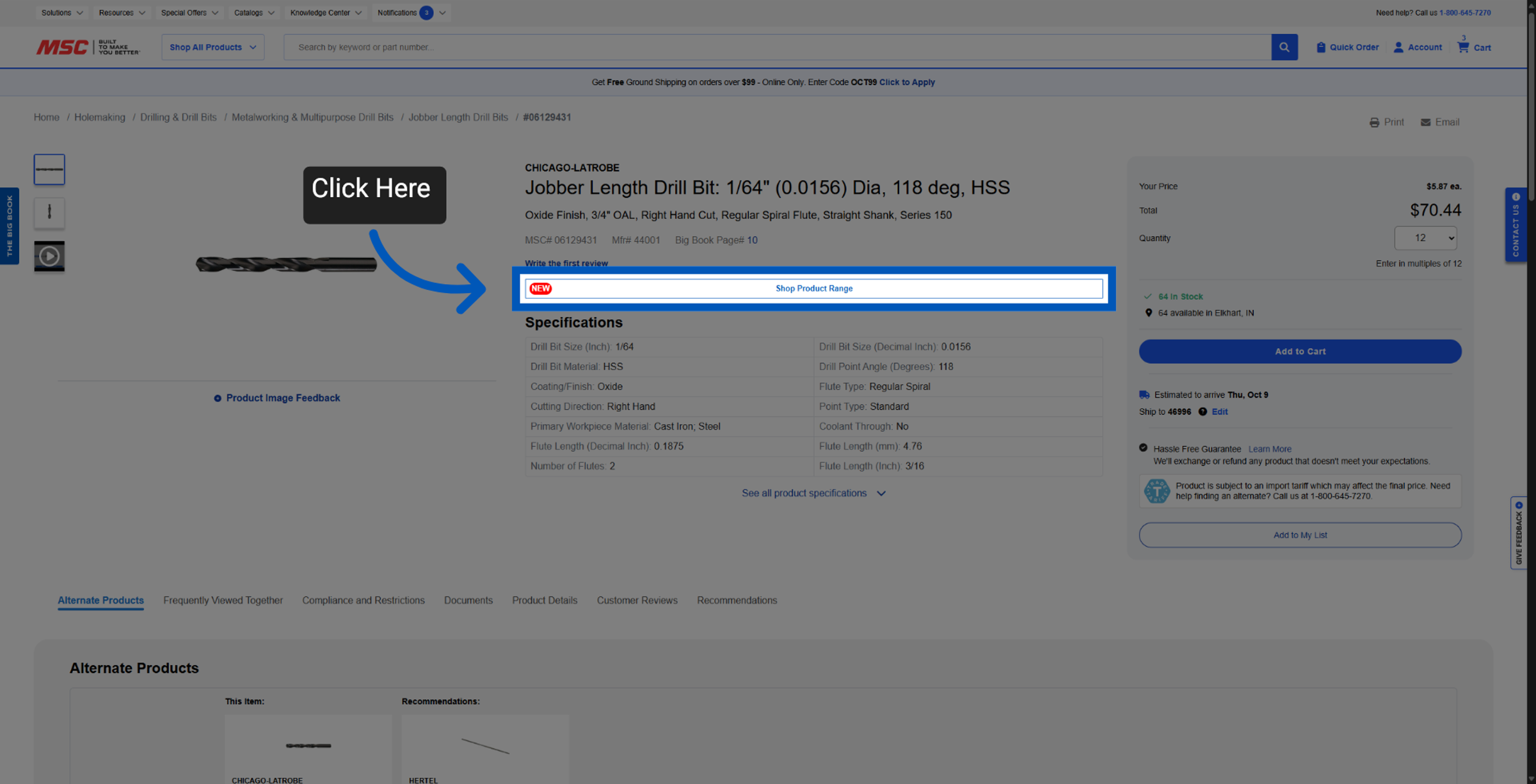
This view functions similar to table view on our search page. It brings back the classic Big Book feel with "Good, Better, Best" layouts, making it easier to compare and choose products.
More Finding Items Resources
Back to Finding ItemsTo request a quote, please login to your existing account or register a new one. This helps us provide you with a personalized experience and keep track of your requests.