



Cart
The Shopping Cart on MSCDirect.com allows you to review items, make final adjustments and manage your order before proceeding to checkout.
From the Cart, customers can update quantities, manage shipping details, apply promotions, save or share their cart, and choose how they want to move forward—whether that’s checking out, requesting a quote, or saving items for later.
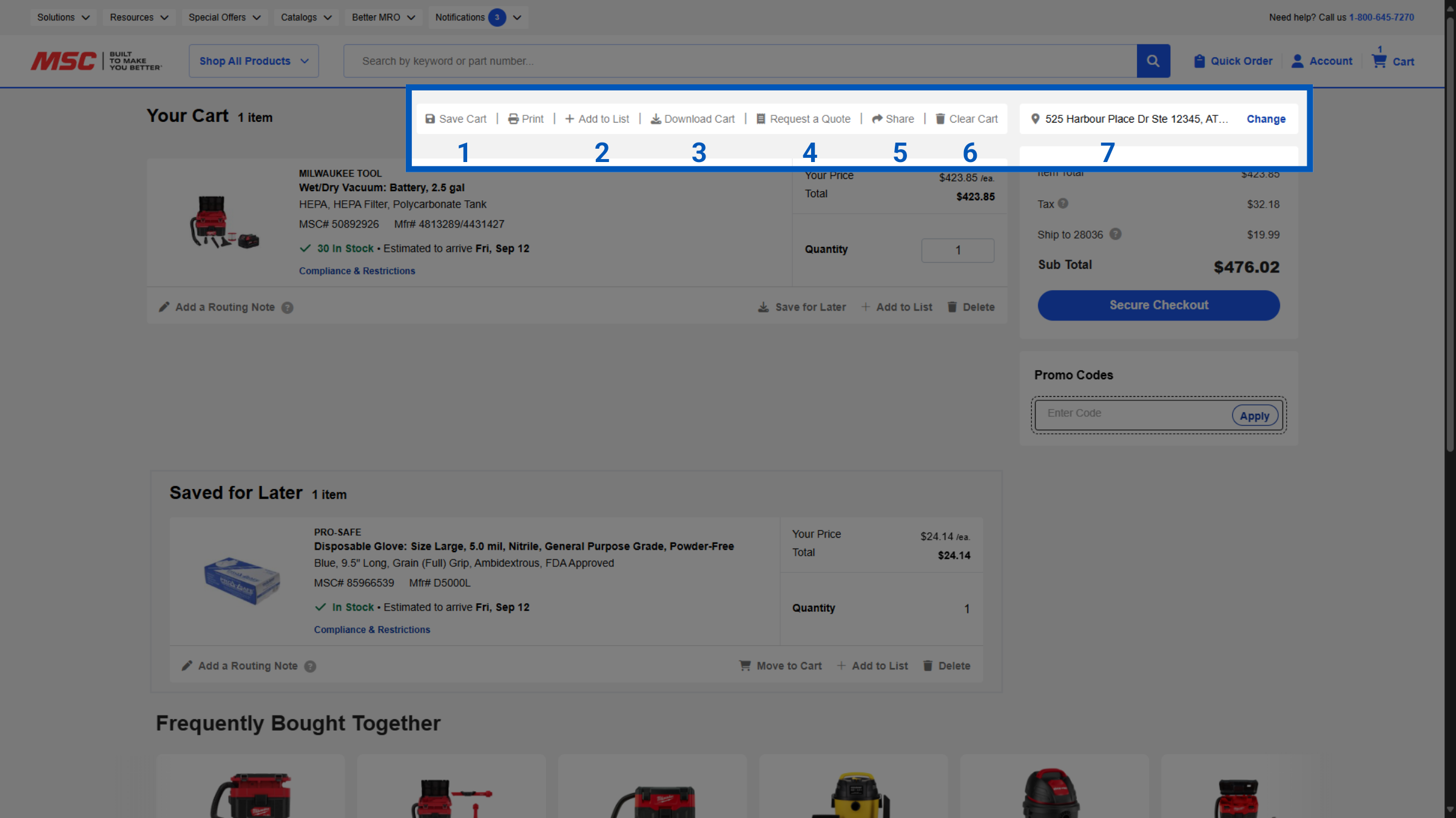
Your Cart has various options to help you streamline your purchasing. This includes:
Save Cart: Save your entire cart for later
Add to List: This will add your entire care to a specific list for future purchasing.
Download Cart: This will download your cart in the format you can set in your preferences.
Request A Quote: Send your cart to the quote team for review.
Share: This will allow you to email your cart to other team members.
Clear Cart: This will delete all items in your Cart.
Edit Address: Change/Add shipping addresses directly in your cart.
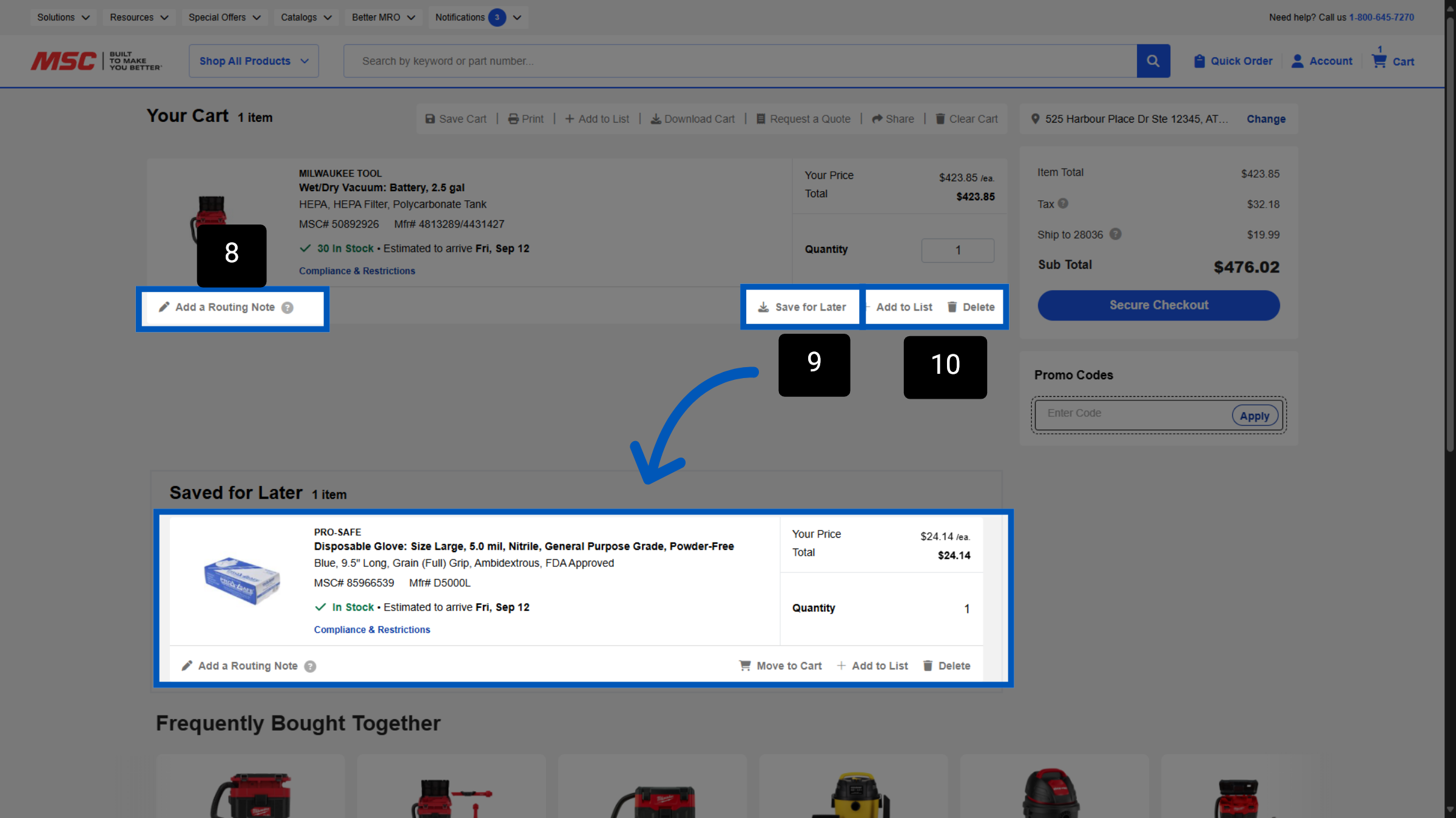
Routing Notes: You can add routing notes to each item, to help route your items internally.
Save for Later: Save this specific item for later. Items you have previously saved will show up in the "Saved for Later" section at the bottom of the cart.
Add to List: Add this specific item to your chosen list for future purchases or remove it entirely.
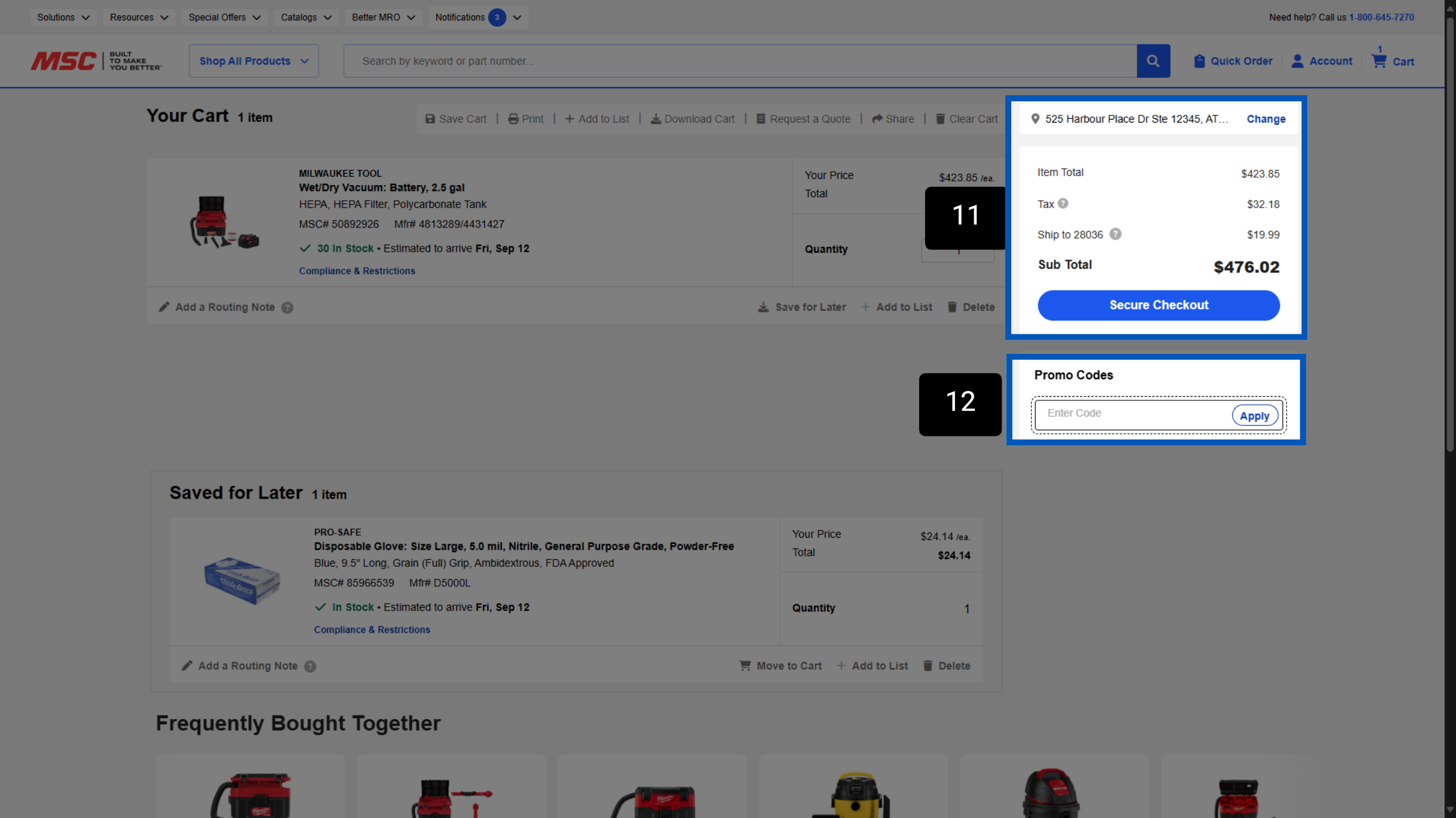
Total Details: Your order totals will display here. Shipping is calculated based on the shipping address you have selected on top of this area.
Promo Codes: Here you can enter any promo codes you may have.
To request a quote, please login to your existing account or register a new one. This helps us provide you with a personalized experience and keep track of your requests.