



Order History
Introduction:
The order history page contains a detailed record of all orders placed at an account number level. It contains all of the information about each transaction, including a real-time status and tracking information if available.
Detailed Step by Step Guide:
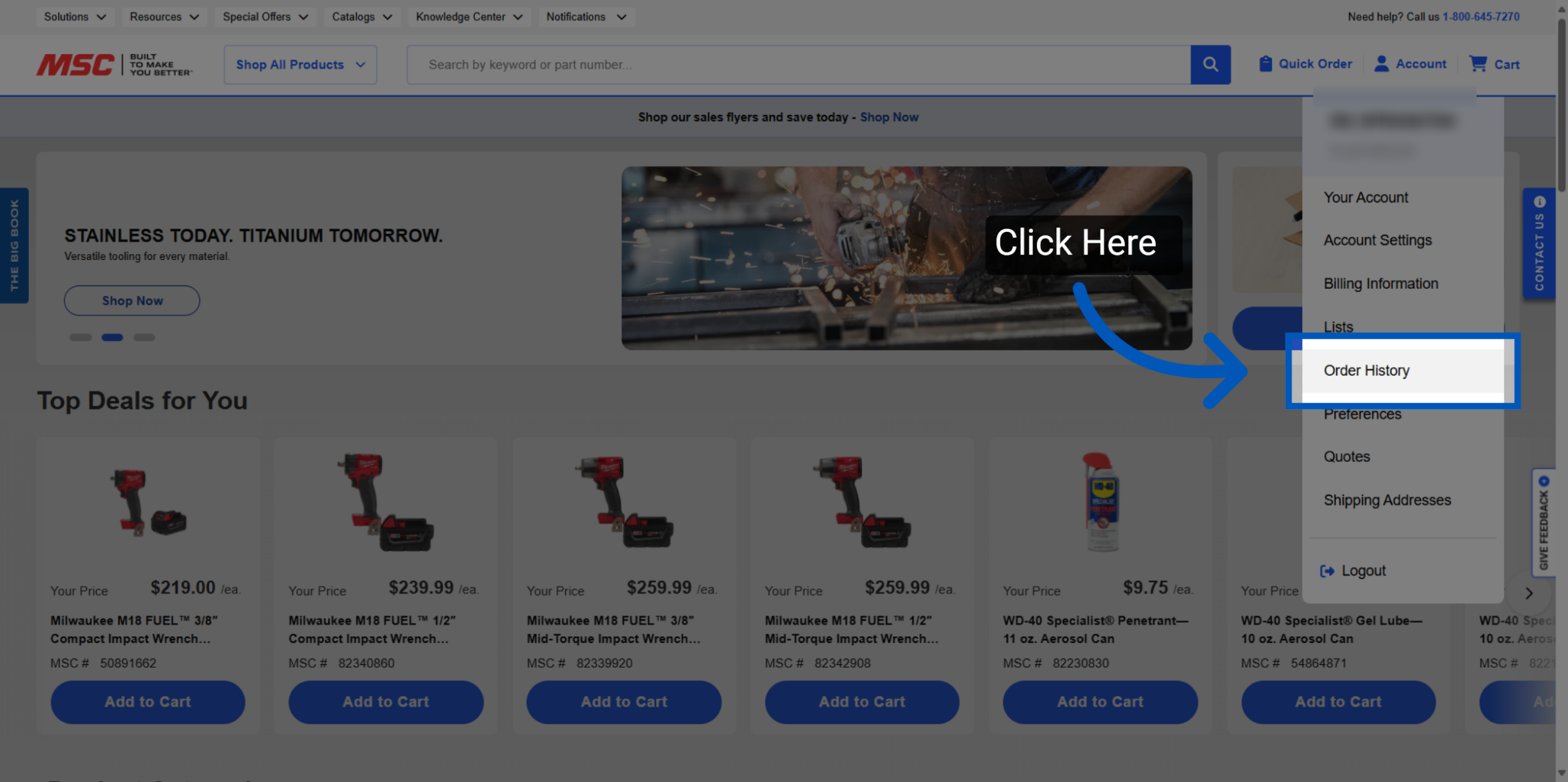
1. Navigate to Order History: To access the order history page, please make sure that you are logged in. Once you are logged in, the order history page can be accessed by using the account drop-down in the upper right-hand corner of our page. Click "Order History" to open the order history page, which contains a detailed record of all orders placed at an account number level. The Order History page provides a detailed record of all orders at the account number level, including transaction details, real-time status, and tracking information when available.
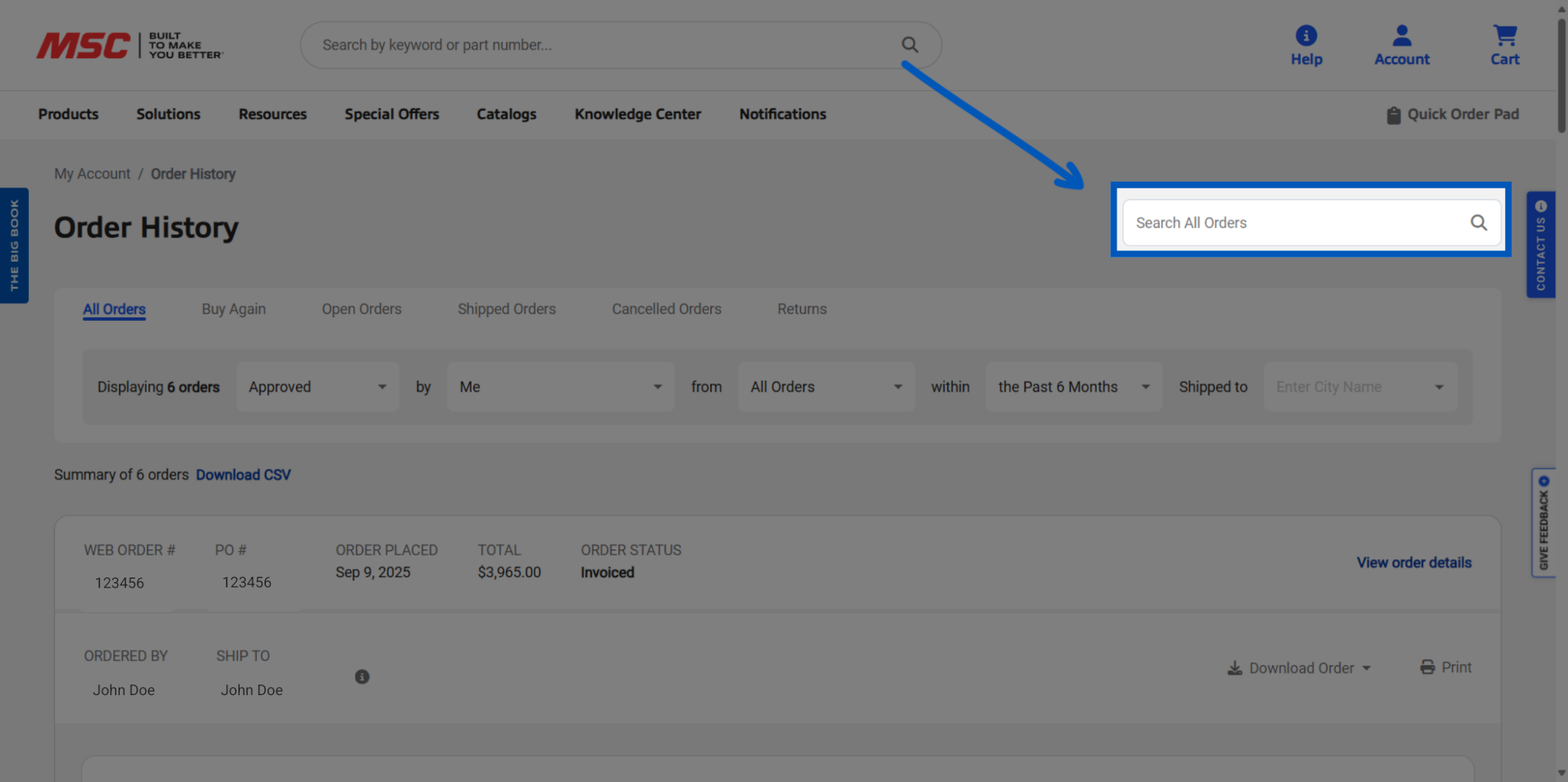
2. Search For Transactions: Users can search for transactions using the search box by entering PO numbers, invoice numbers, pack slip numbers, part numbers, item descriptions, or the name of the person who placed the order.
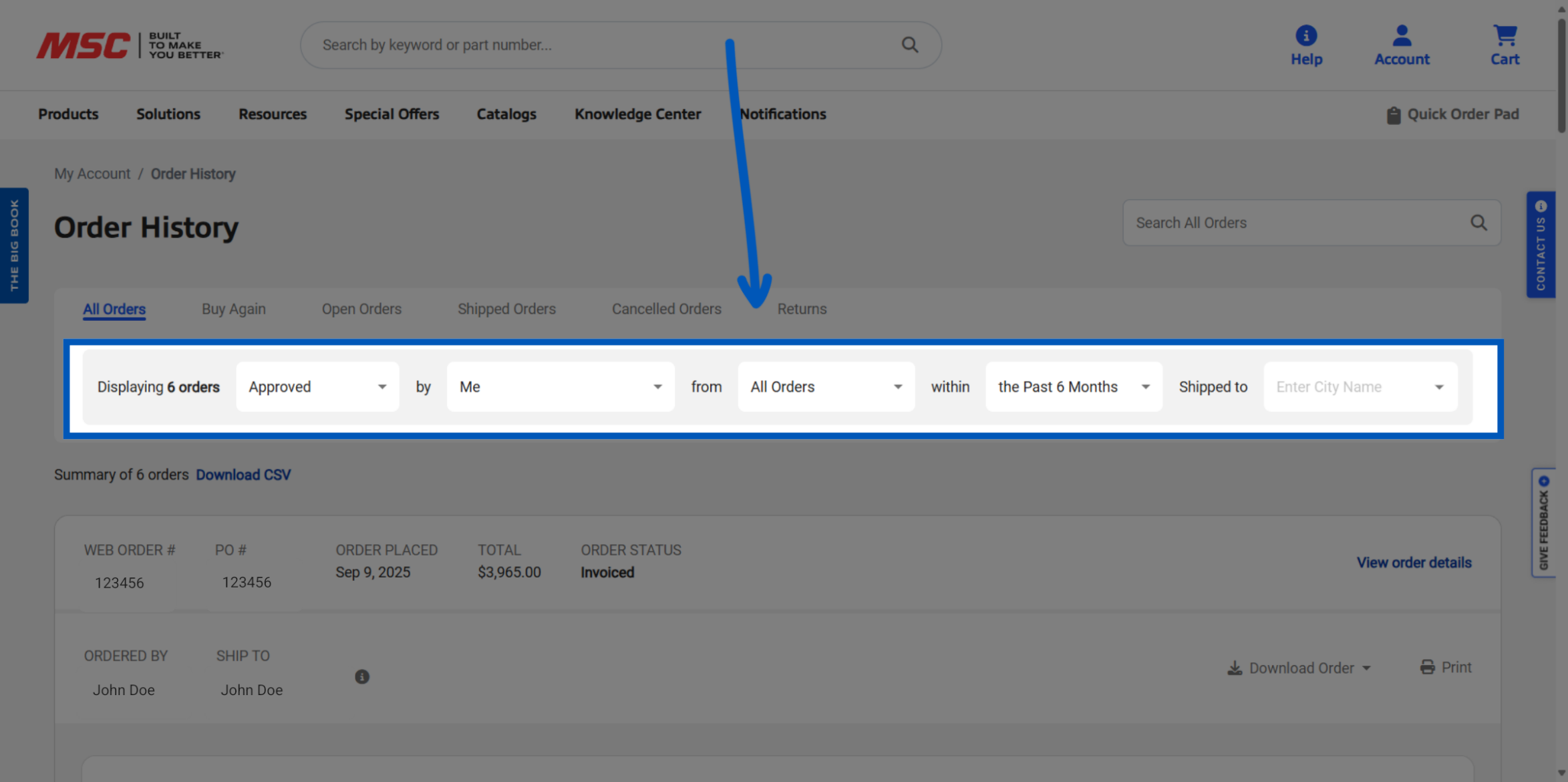
3. View Orders: The page defaults to showing orders approved by the user, and users can adjust filters to view orders placed by specific users or to see an account-level overview.
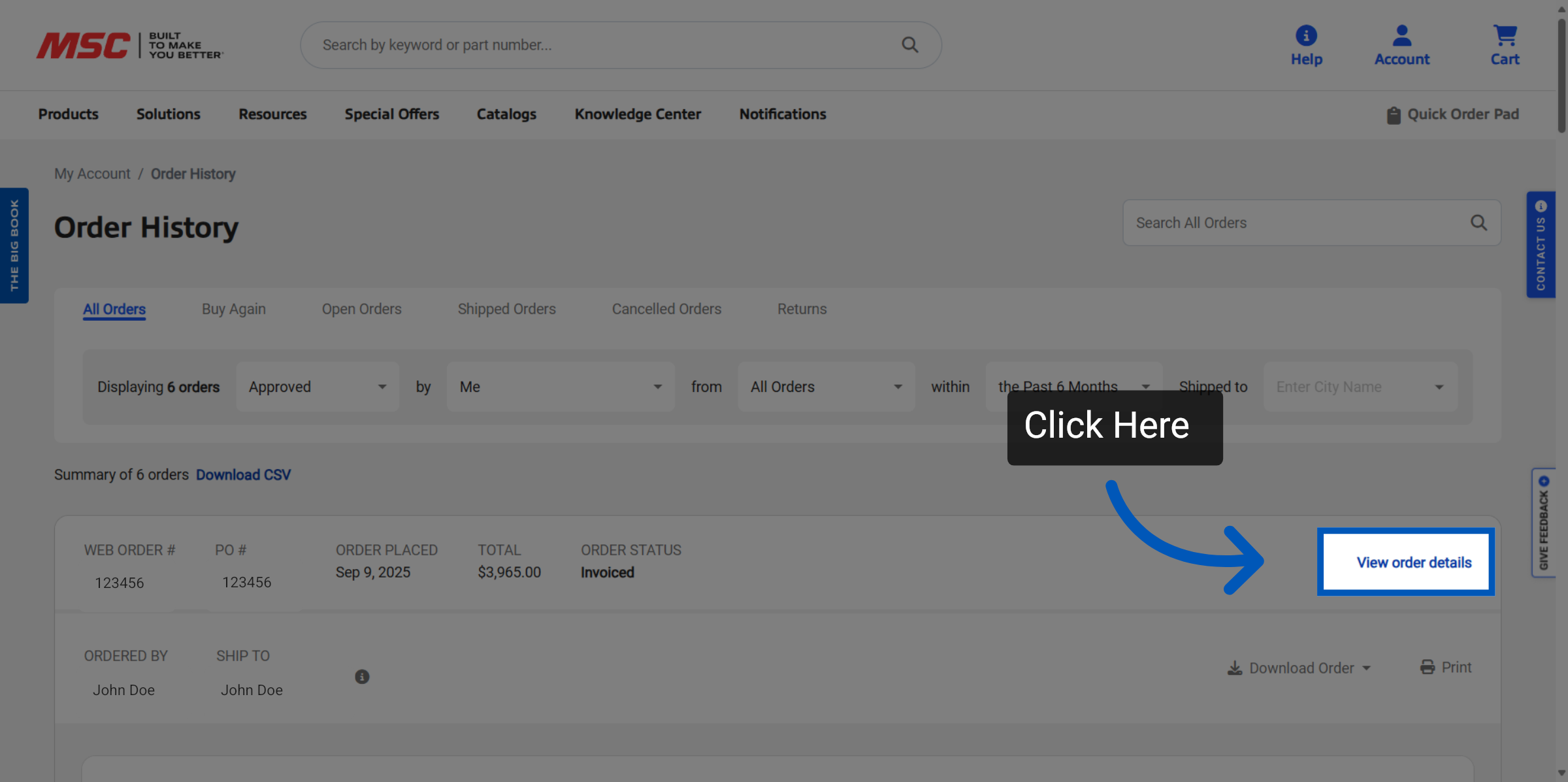
4. View Order Details: Click "View Order Details" on any order history to view the specifics of each order.
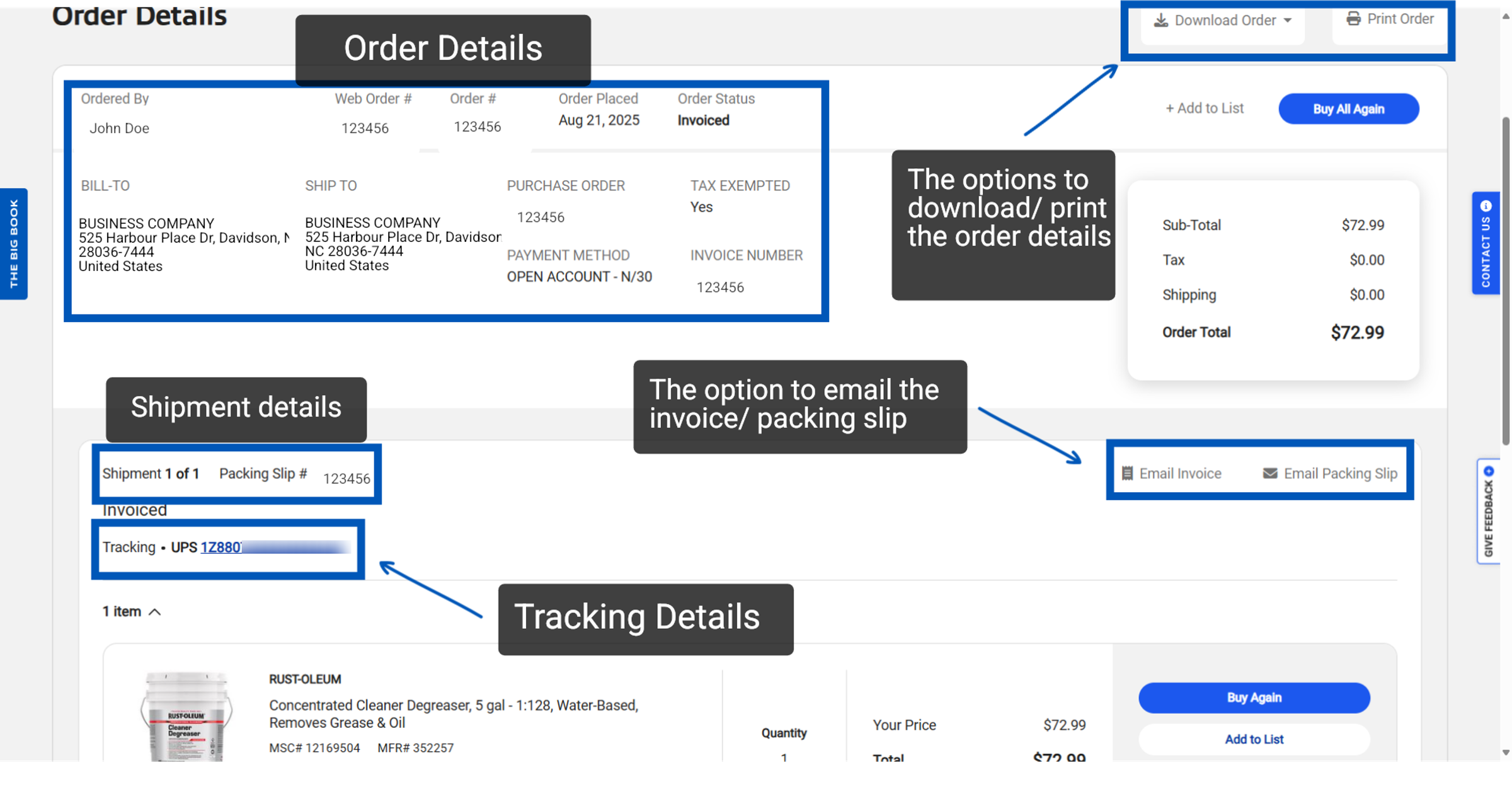
5. Order Details & Options: This page includes order placement details, payment method, totals, and tracking information, with tracking numbers linking directly to the carrier's website for real-time status.
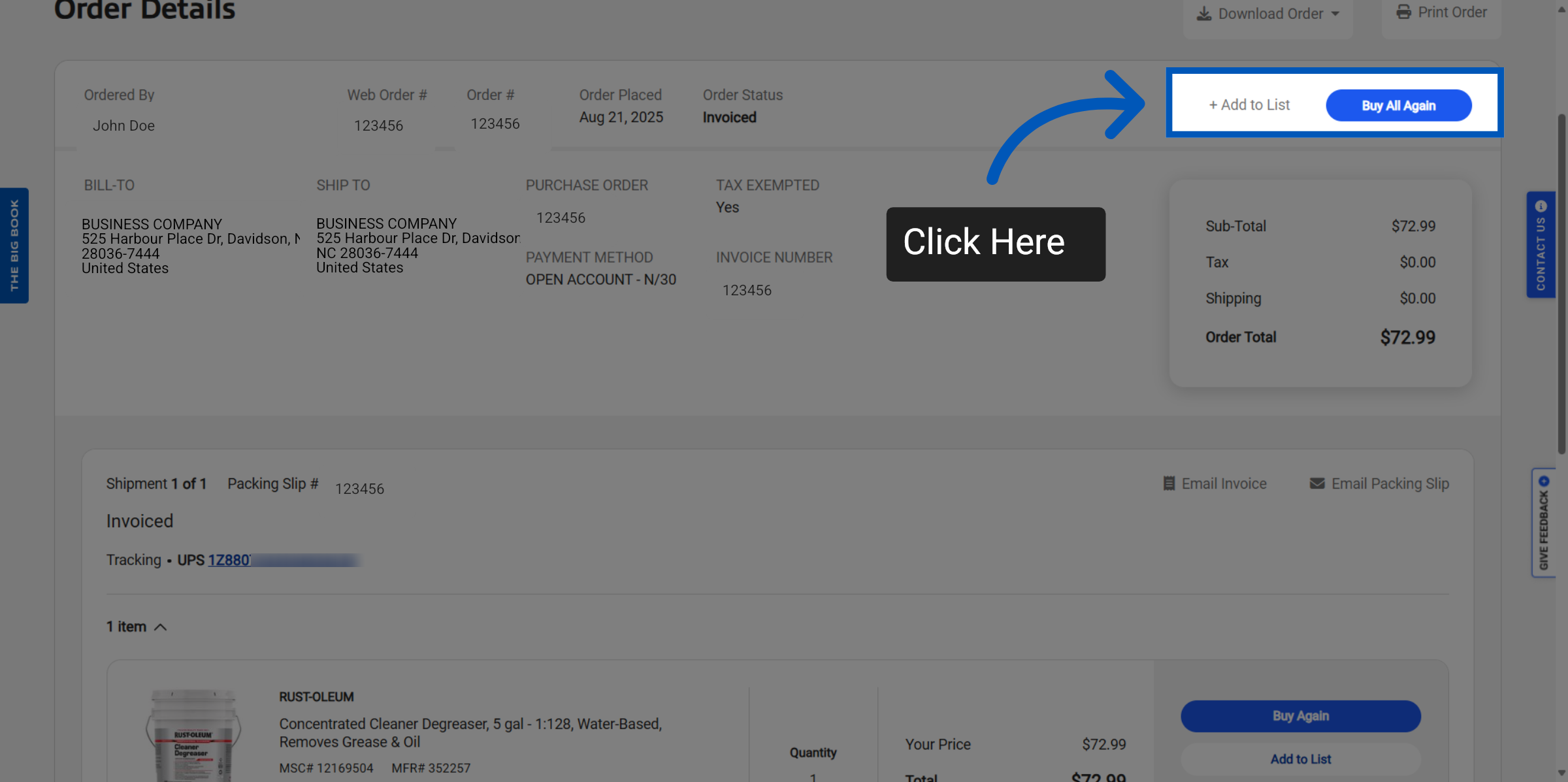
6. Add to List / Buy Again: You can also add this order to your lists for future purchases or easily re-order it.
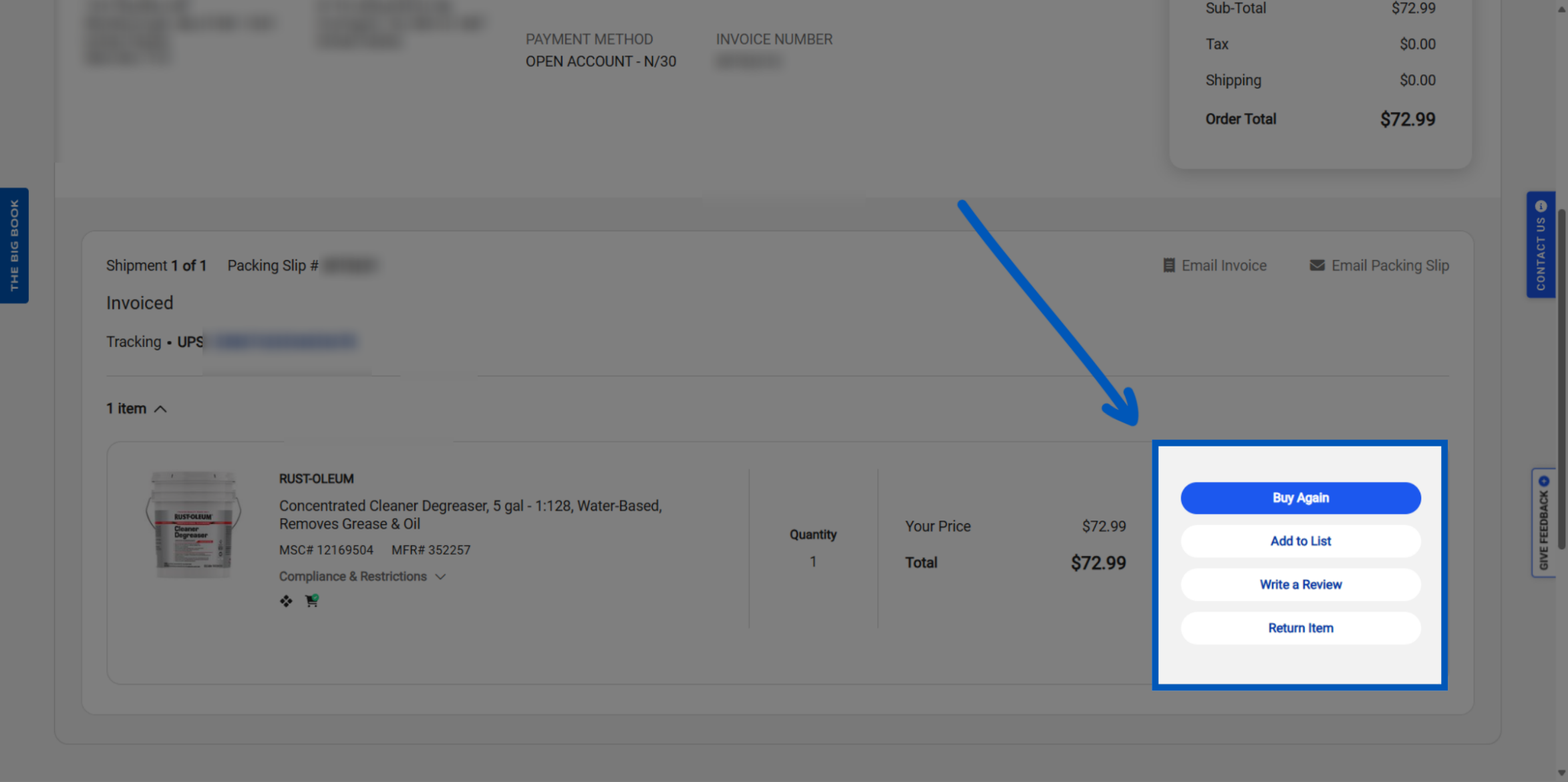
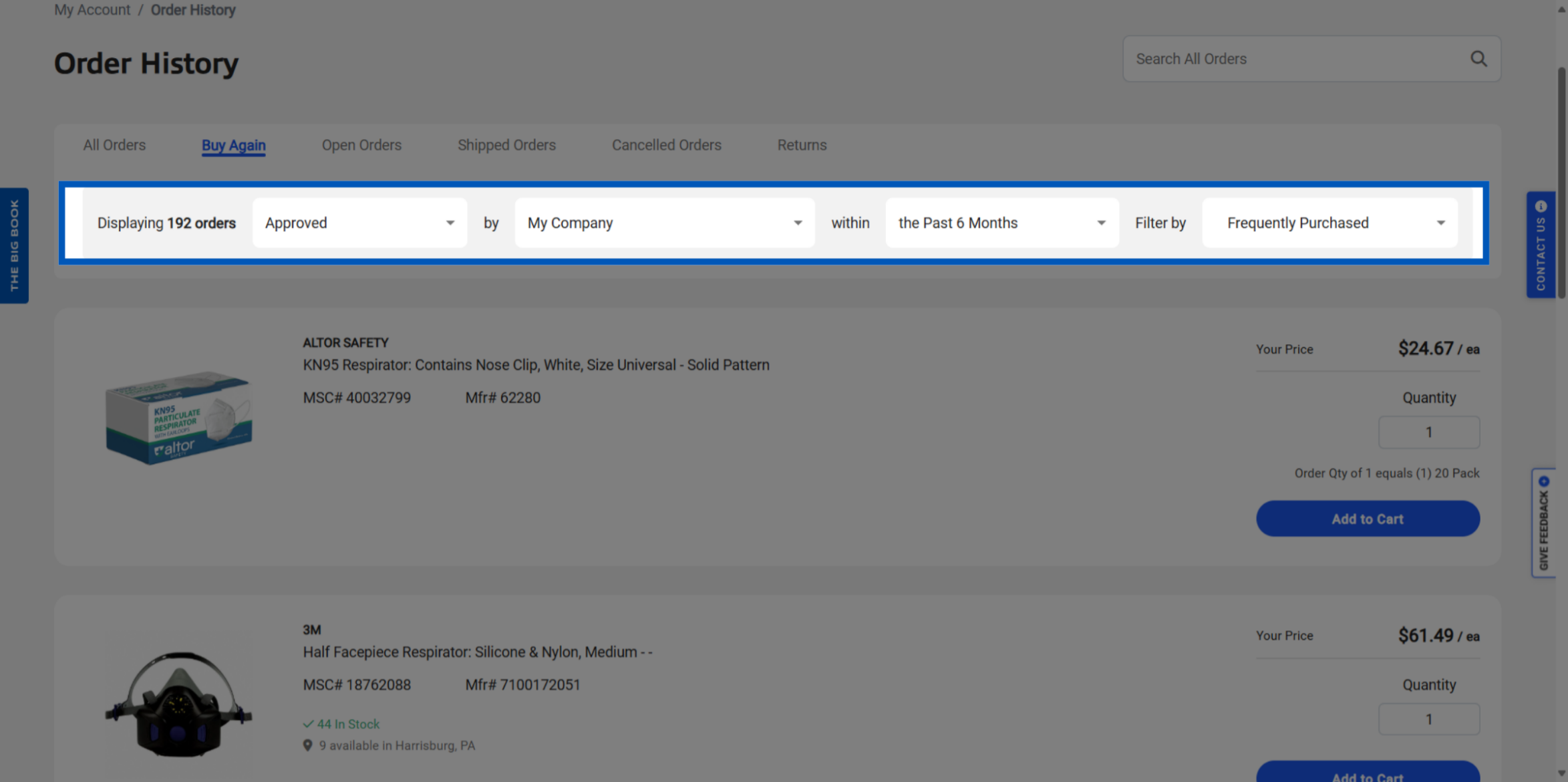
7. Reorder From Previous Purchases: Alternatively Click "Buy Again" in the Order History tabs to reorder items from a previous purchase.
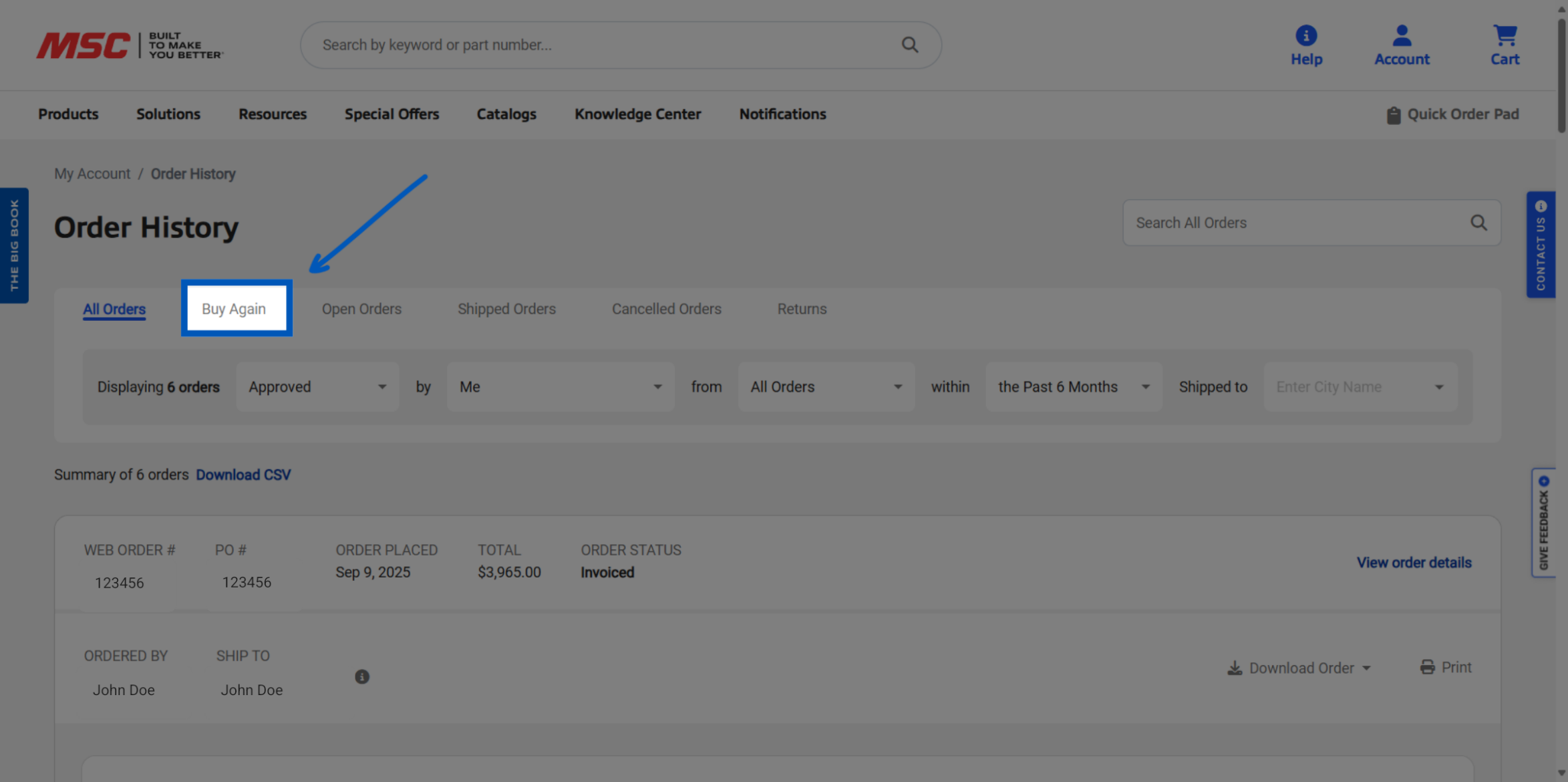
8. Filter Items: You can filter items purchased on your account, whether they are frequently bought or recently acquired.
To request a quote, please login to your existing account or register a new one. This helps us provide you with a personalized experience and keep track of your requests.