



Sales Tax Exemption Guide
Detailed Step by Step Guide:
Before you begin it is important to note you are required to submit a tax exemption form for ANY address that needs to be tax exempt. Without completing this process just toggling "Tax exempt" for a ship to before submitting supporting documents will not provide tax exemption on the order. There are currently two methods of completing this form:
Contact credit@mscdirect.com with your address/ship to number and account number with supporting tax-exempt documents.
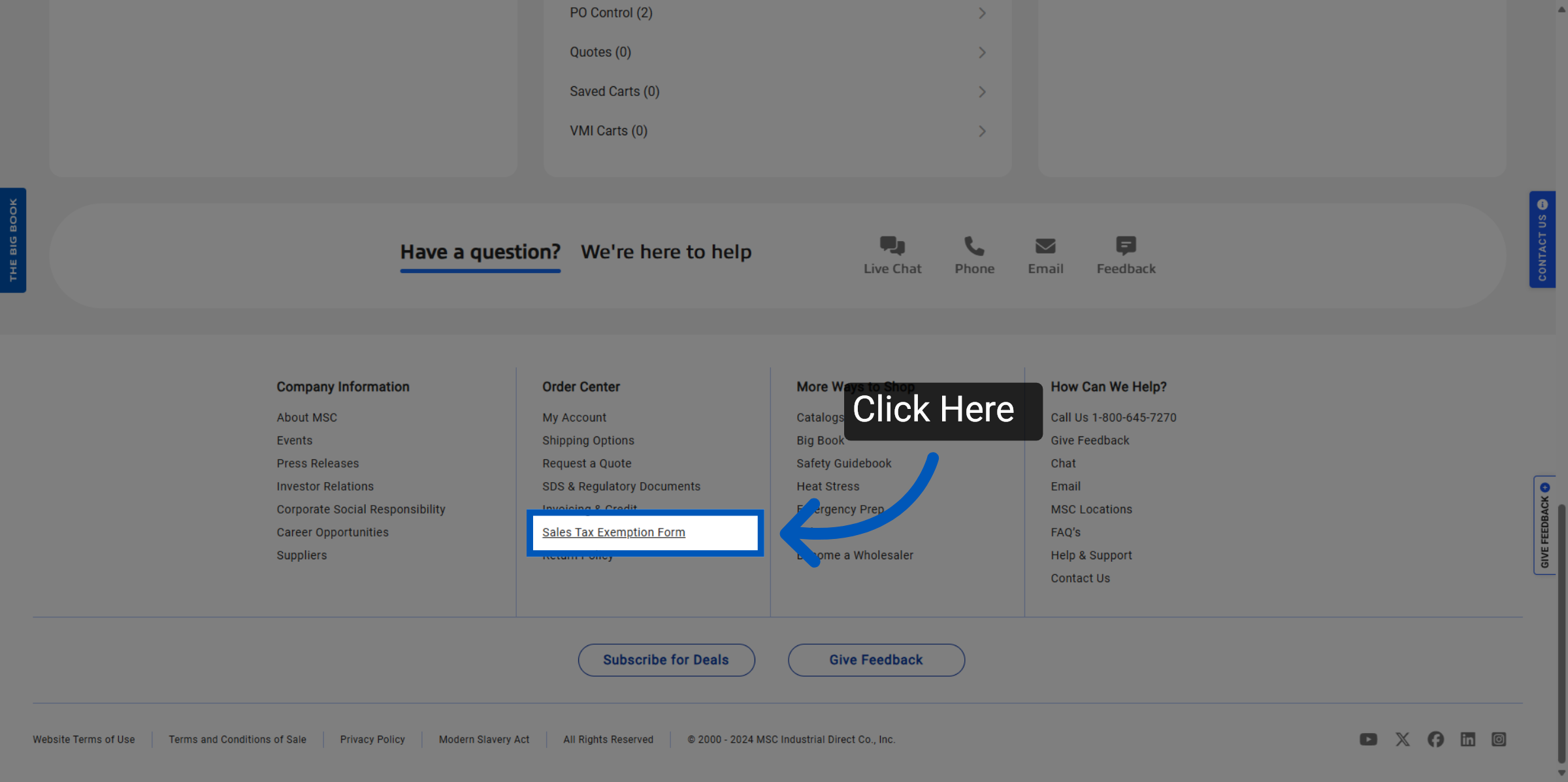
Scroll to the footer of any page and click "Sales Tax Exemption Form", or click here, to begin the exemption process. We will cover this process below.
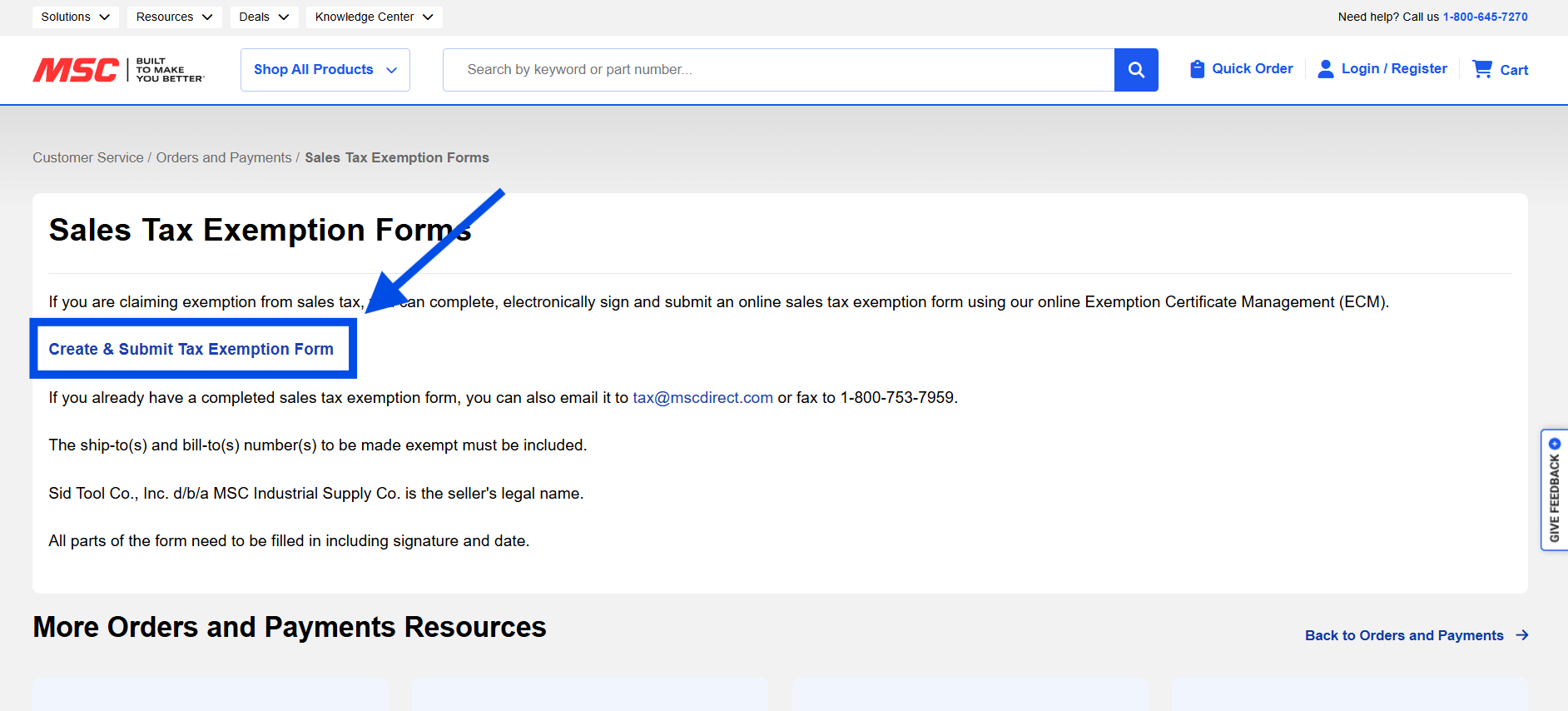
Upon clicking "Create & Submit Tax Exemption Form" you will be taken to a third-party provider that handles the submission of this form. Please fill out the form completely and follow their on-screen instructions.
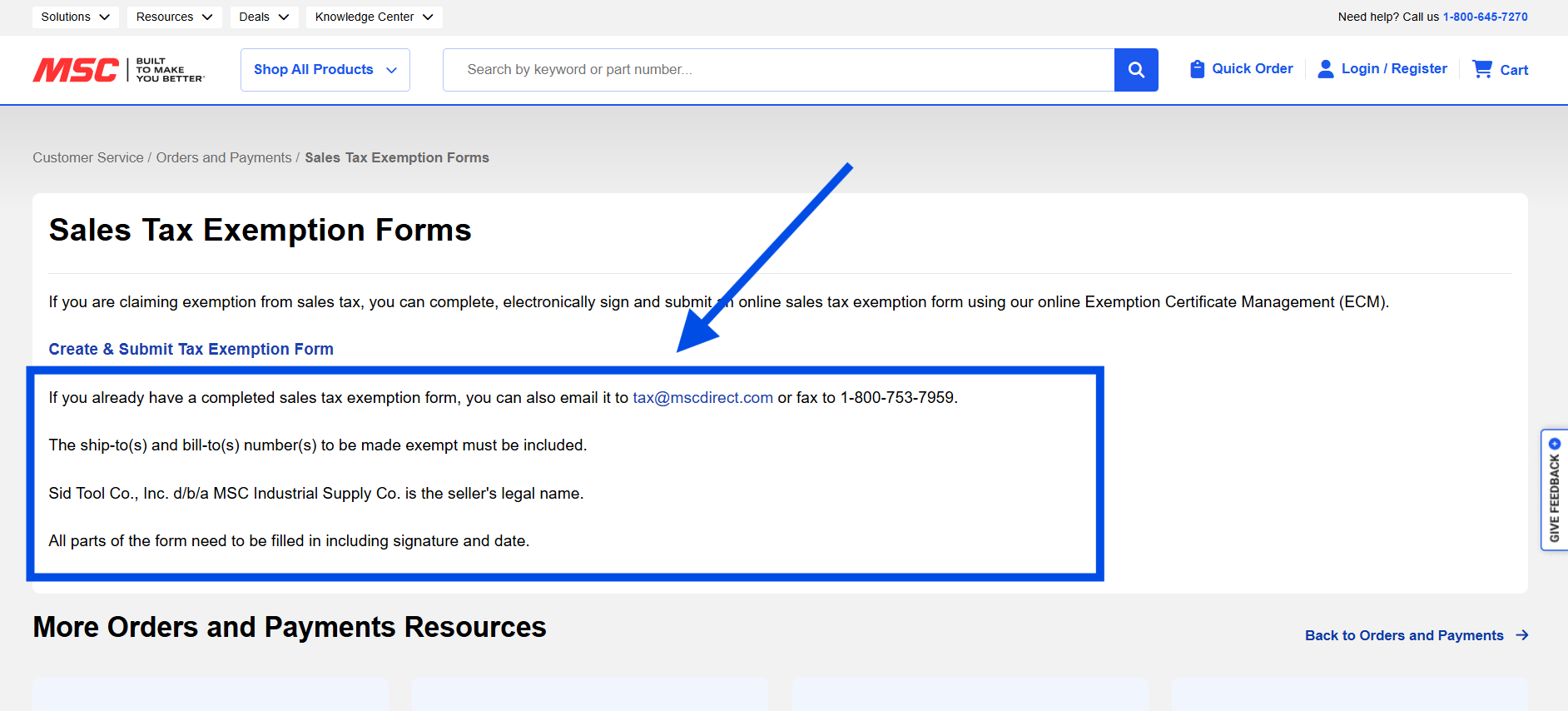
Alternatively if you have completed a physical form you can send it to Tax@mscdirect.com or fax it to 1-800-753-7959.
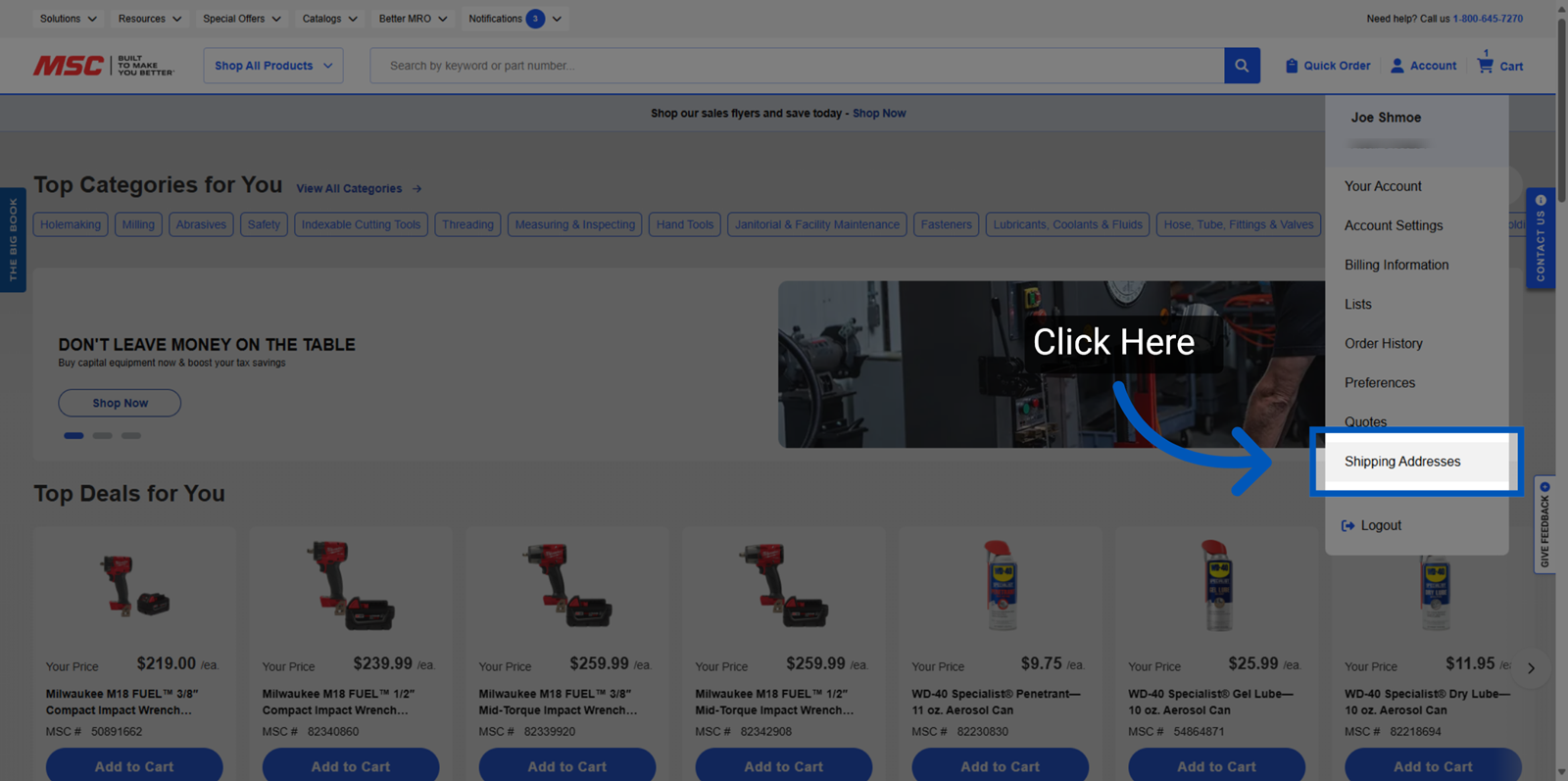
Once you have confirmation that your shipping address has been made Tax exempt. Hover over the Account Icon in the top right corner and then proceed to the Shipping Addresses page.
You will find all your existing addresses and their tax exempt status here. To create a new shipping address with tax exemption, users should select 'Add new address’.
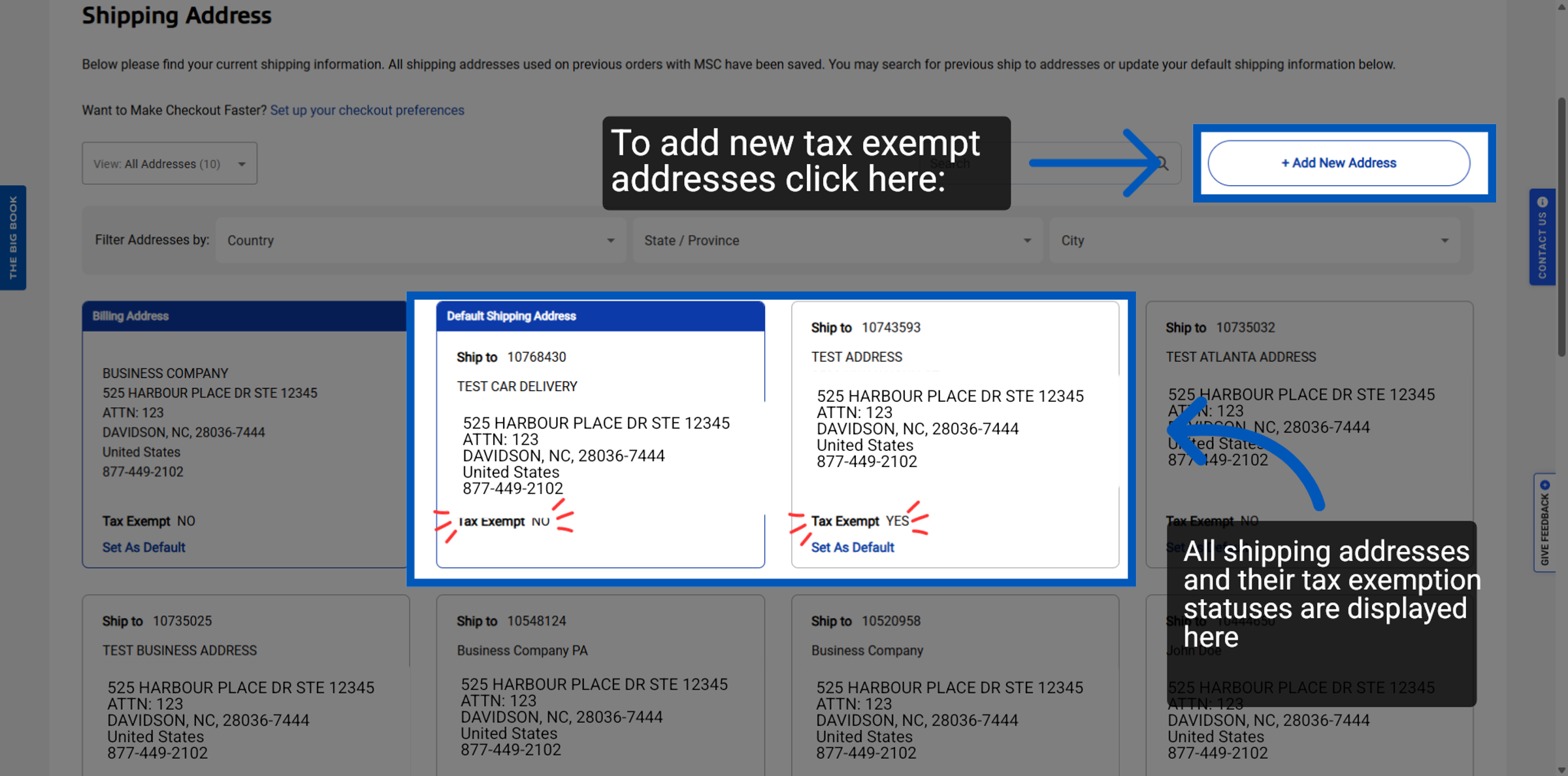
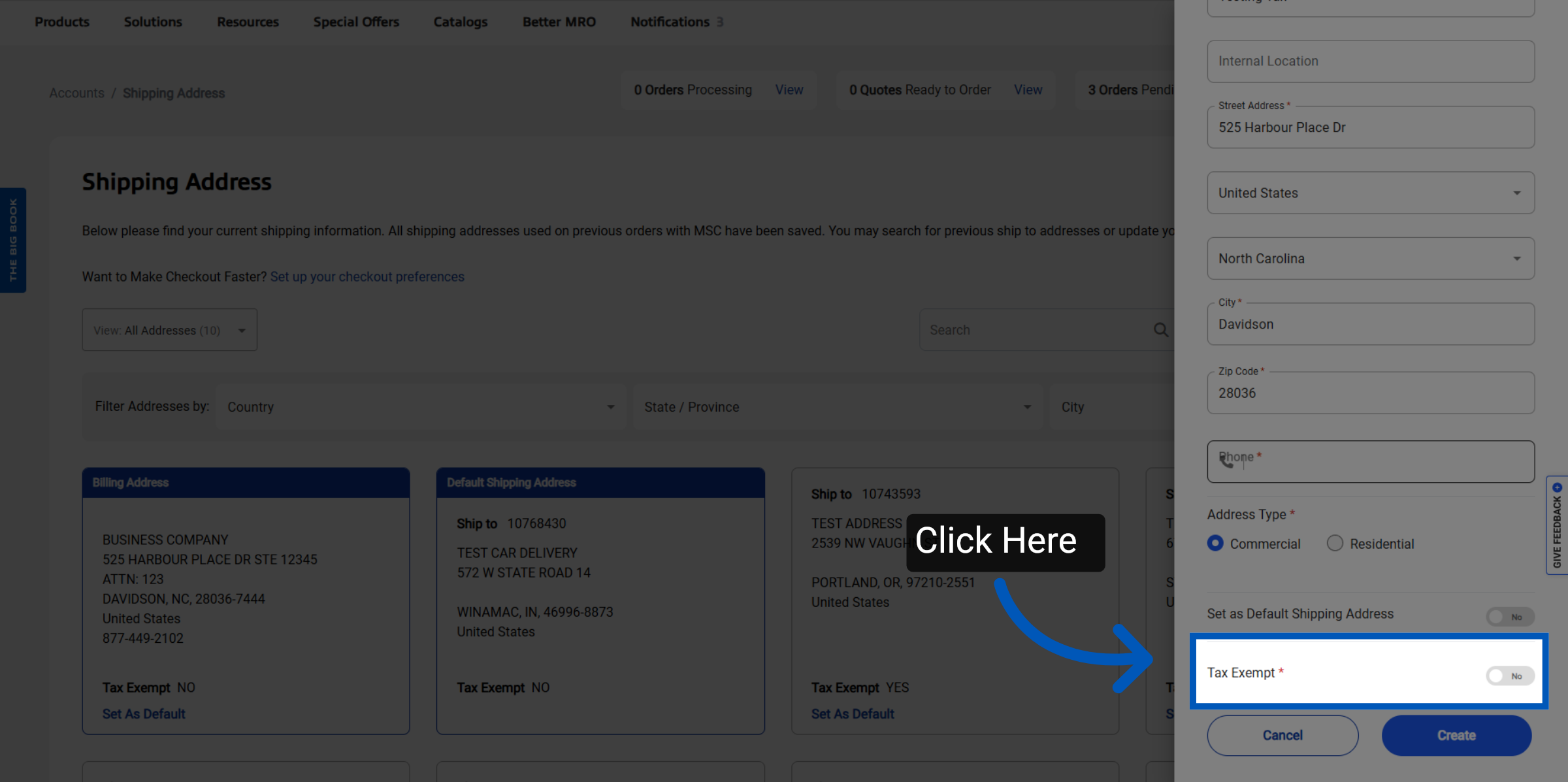
Fill out the required information as you normally would, to make the address tax exempt toggle this to yes.
Note: Without sending over your tax exemption forms, just toggling "Tax exempt" for a ship to before submitting supporting documents will not provide tax exemption on the order.
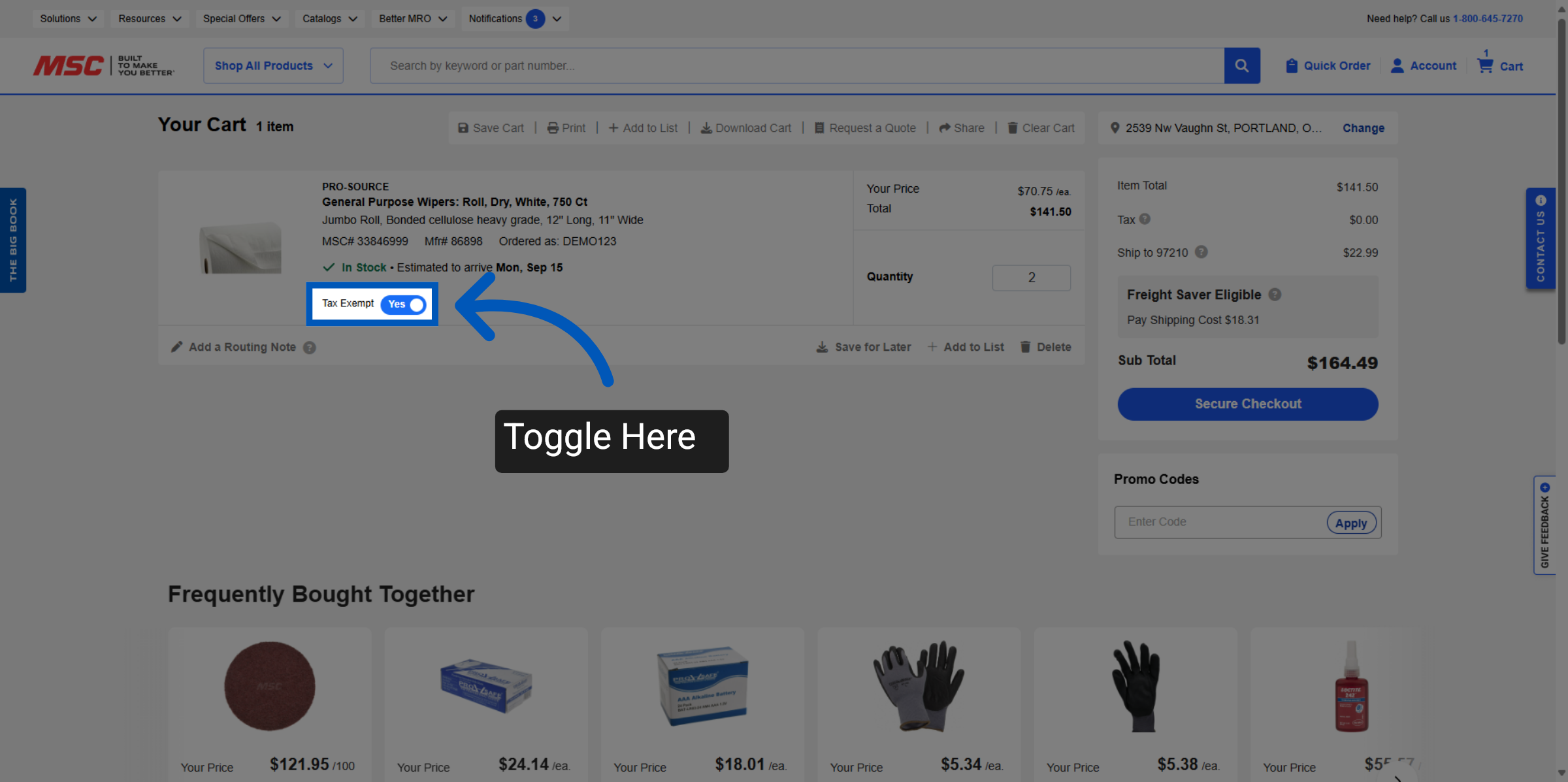
When a tax-exempt shipping address is selected in the cart, a toggle becomes available for each item, allowing users to set tax exemption status for individual items as needed. By default, the entire order is set to "tax exempt".
More Orders and Payments Resources
Back to Orders and PaymentsTo request a quote, please login to your existing account or register a new one. This helps us provide you with a personalized experience and keep track of your requests.