



Checkout
The Checkout page on MSCDirect.com allows you to review your order details, confirm shipping and payment preferences, and complete your purchase with confidence.
From this page, customers can verify shipping addresses, select shipping methods, apply purchase order or payment information, and review order totals before submitting the order. The checkout experience is designed to be flexible, allowing customers to make final adjustments while ensuring all required information is captured accurately.
1. Review and Confirm Your Shipping Address
At the top of the checkout page, review the shipping address for your order.
If needed, you can edit the address directly or select a different saved shipping address associated with your account.
Tip: Your default shipping address is set in your account preferences but can always be updated during checkout.
2. Select a Payment Method
Choose how you would like to pay for your order. Available options may include:
Credit card
Purchase Order (PO)
Other account specific payment methods
If your account uses Purchase Order Control, you may be required to select a valid PO before continuing. If PO Control is optional, you can choose to enter a PO number or proceed without one, depending on your company’s settings.
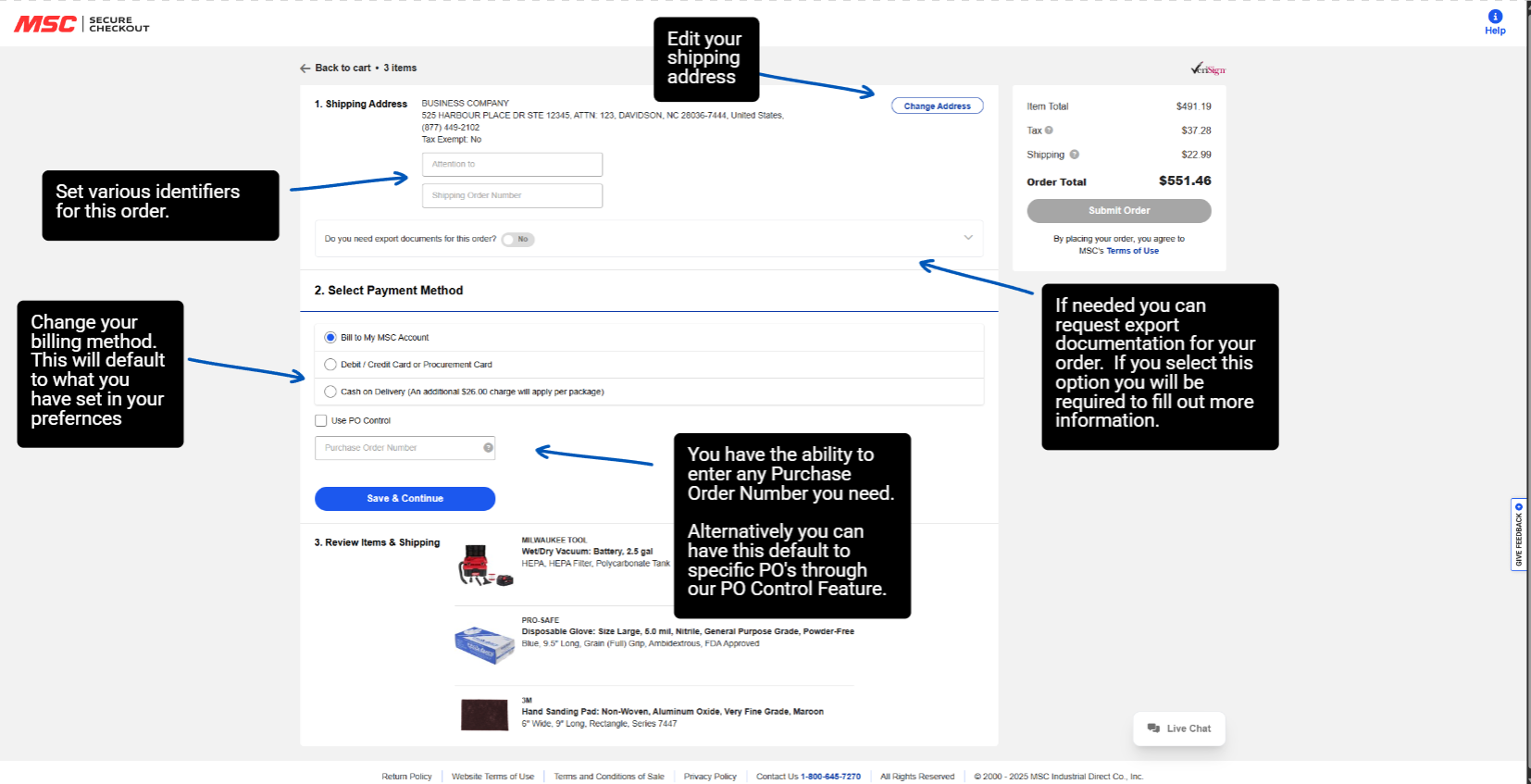
3. Review Items and Shipping Options
Each item in your order is displayed with quantity, price, and shipping details.
If your order contains multiple items, you may see more than one shipping method available, allowing you to select the option that best meets your delivery needs for each item.
Select the shipping method that works best for your order before continuing.
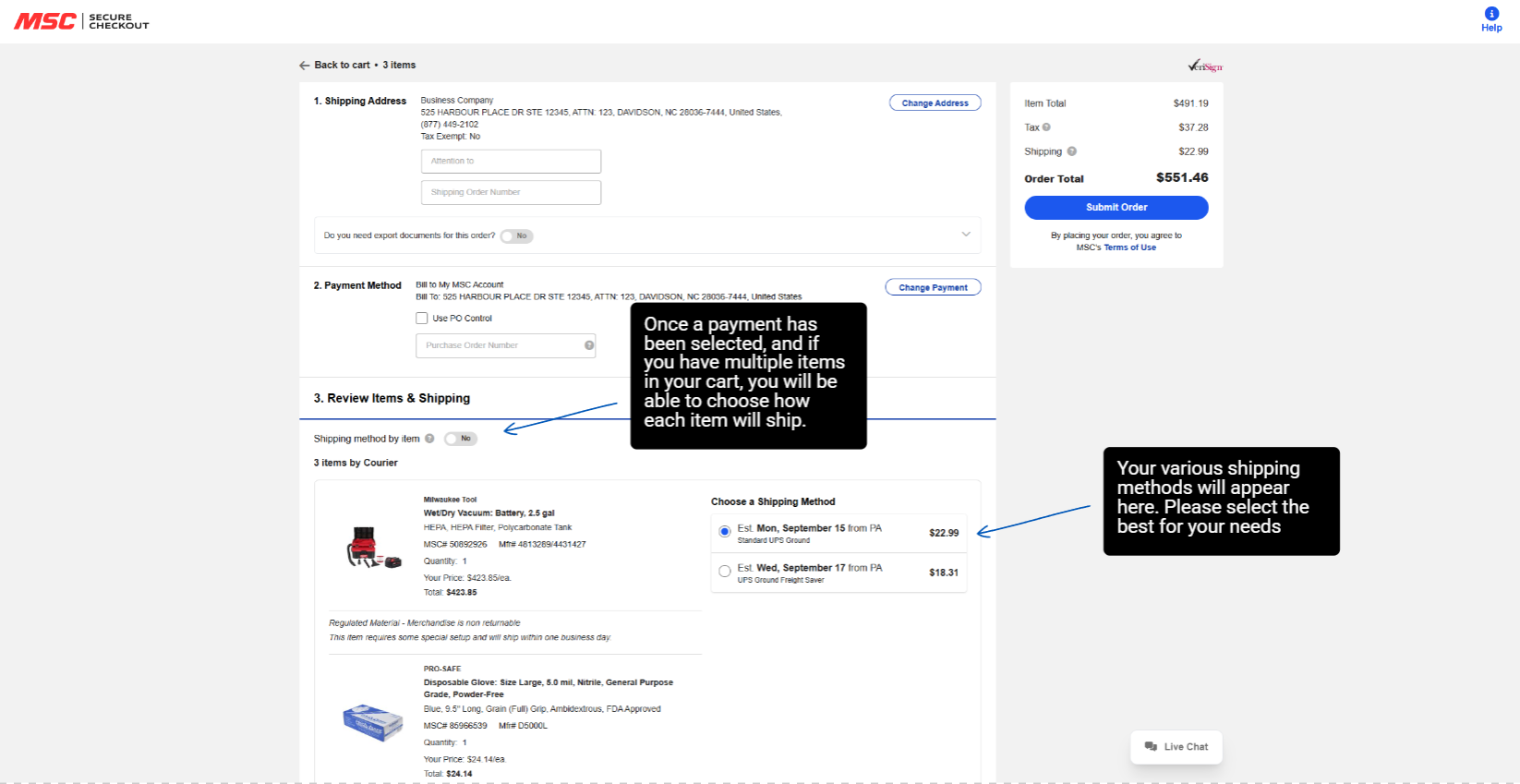
4. Confirm Order Summary
On the right side of the page, review your order summary, including:
Item subtotal
Shipping costs
Taxes (if applicable)
Order total
This summary updates automatically as changes are made, helping you confirm the final cost before placing your order.
5. Place Your Order Once all required information is completed and reviewed, select Place Order to submit your order. After submission, you’ll receive an order confirmation showing your order number, selected payment method, and shipping details for reference.
To request a quote, please login to your existing account or register a new one. This helps us provide you with a personalized experience and keep track of your requests.