



Ship-To | MSC Shipping Options & MSC Delivery Options
This training covers how to manage shipping addresses, including adding, filtering, setting defaults, handling tax exemption, and using admin controls to restrict address creation. This covers MSC shipping options and MSC delivery options on mscdirect.com, including how to add and manage MSC shipping locations and enforce your organization’s MSC shipping policy.
Detailed Step by Step Guide | MSC Shipping Options
Shipping Address: Navigate to the shipping addresses page to view, create, and set default shipping addresses. This is where you manage your MSC shipping locations. Add a new shipping address by selecting the 'Add New Address' button.
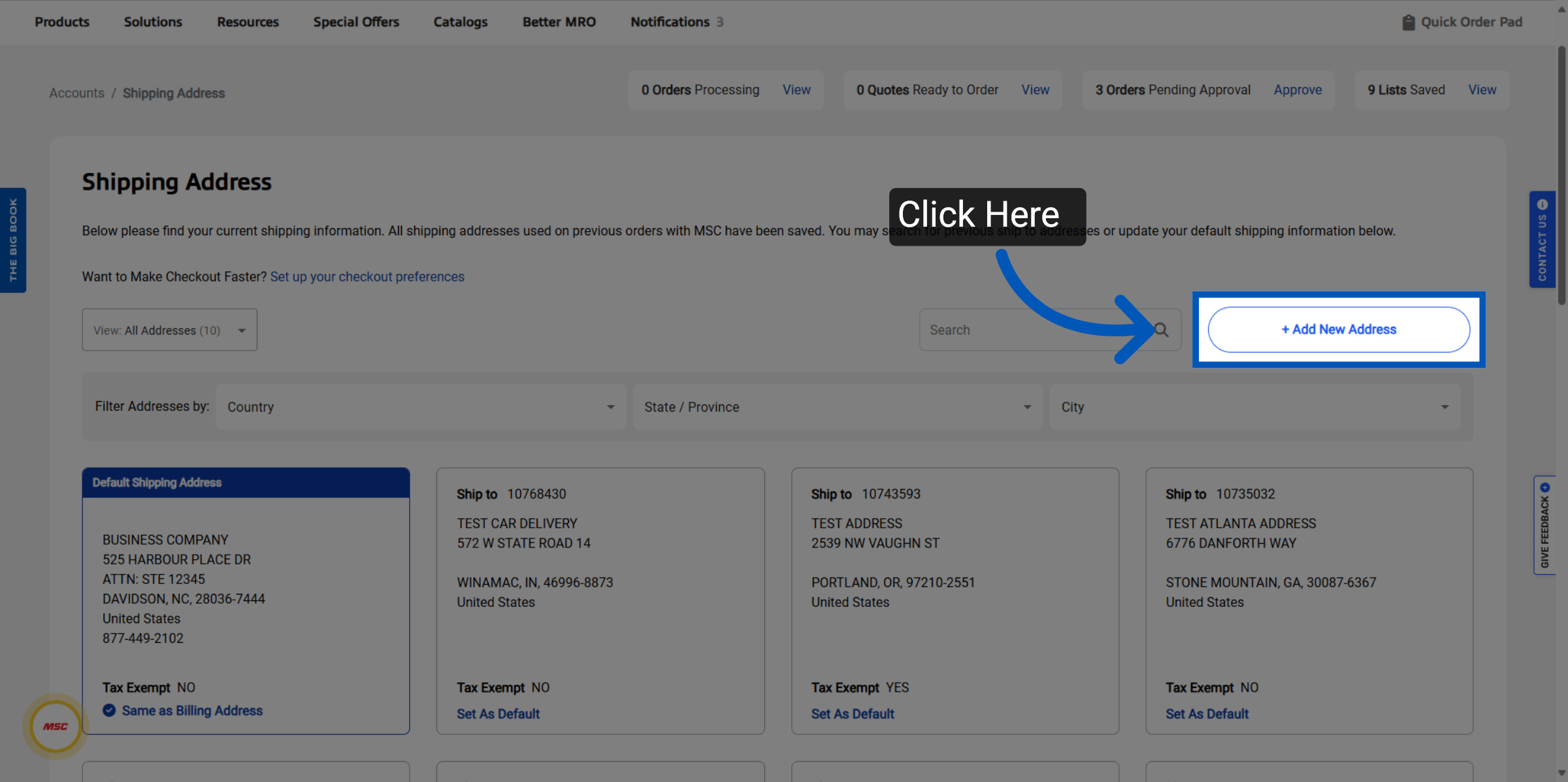
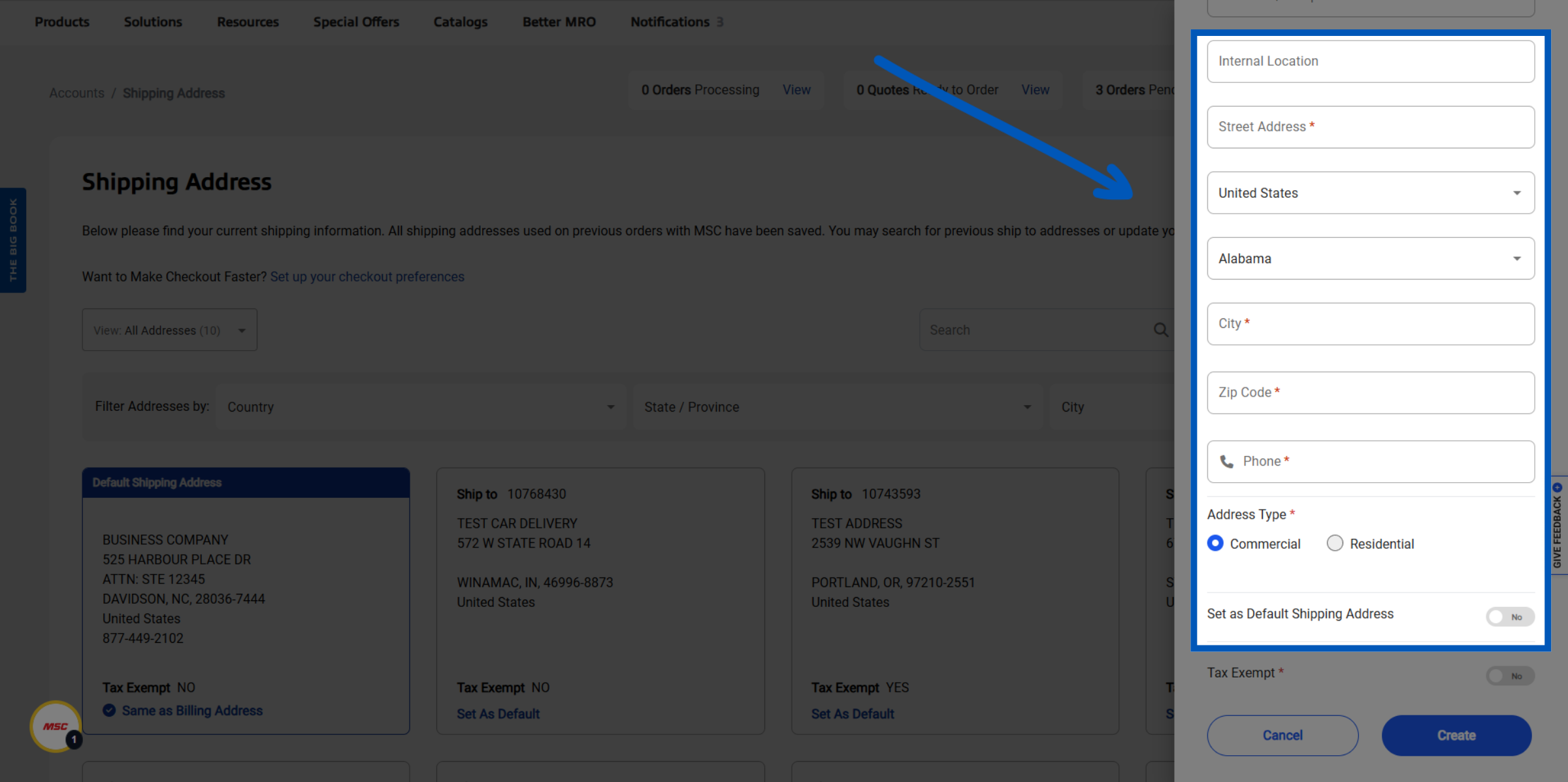
Address Details: Enter your address details, and select the address type (commercial or residential). This configures your MSC delivery options for that location. Optional: You will have the ability to set this as your new Default shipping address.
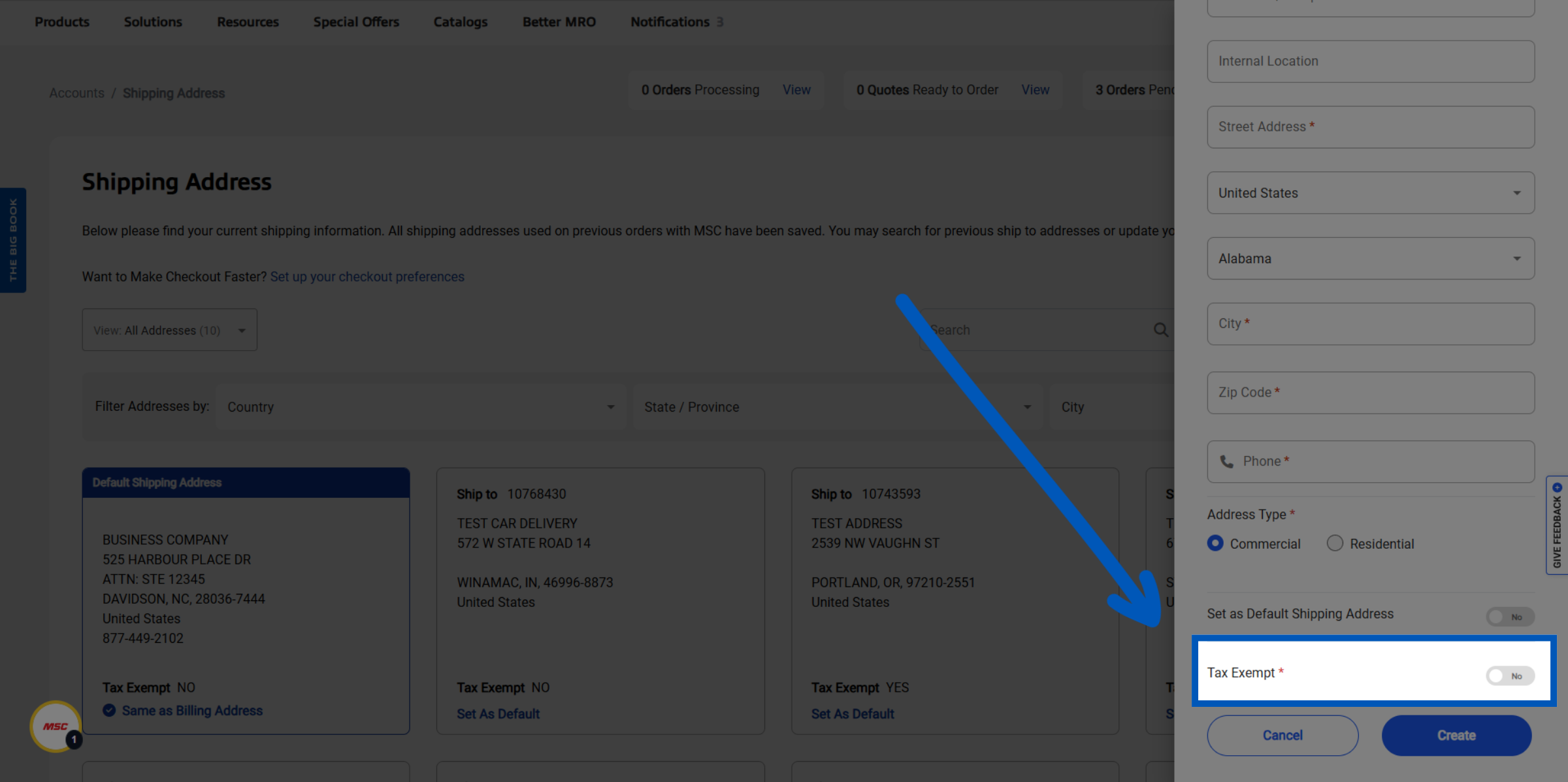
Tax Exemption: If a shipping address is marked as tax exempt, you are required to submit credit information to ensure the address is properly categorized as tax exempt.
Filter Addresses: If you need to locate an existing shipping address among your MSC shipping locations, utilize filters at the top of the page to sort addresses by country, state/province, and city.
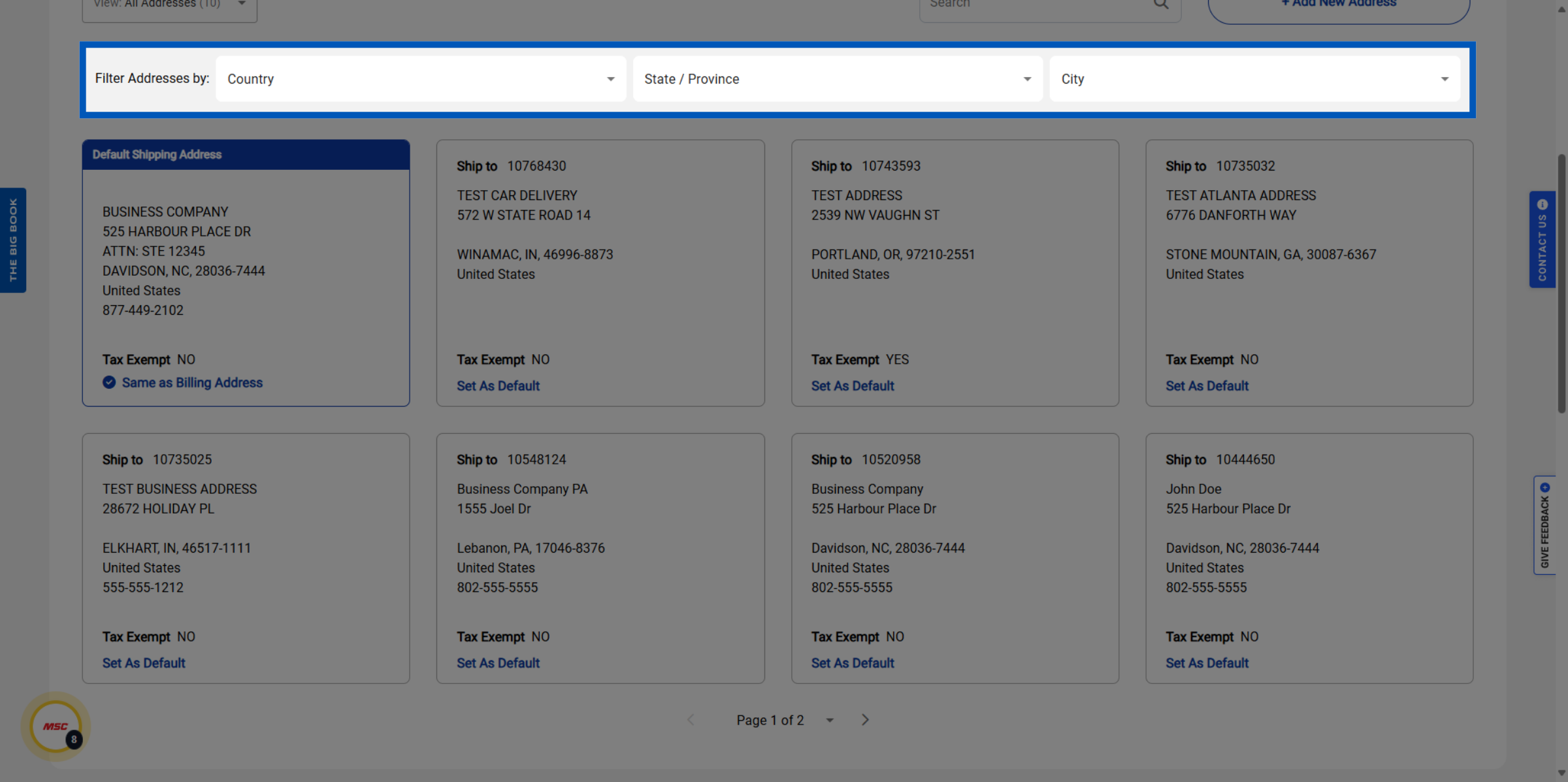
Default Shipping Address: Your default address is called out with blue marker at the top of the address card.
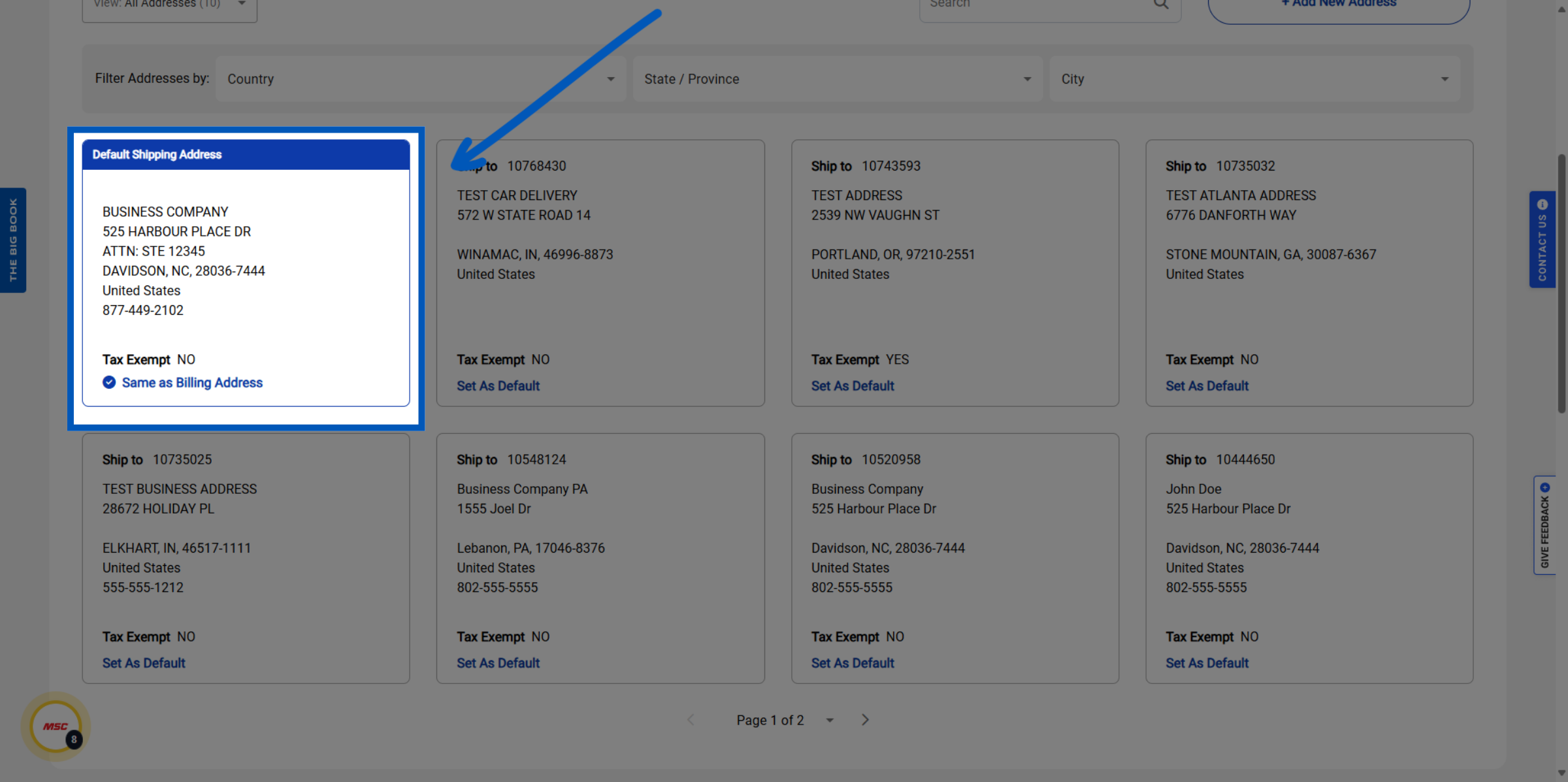
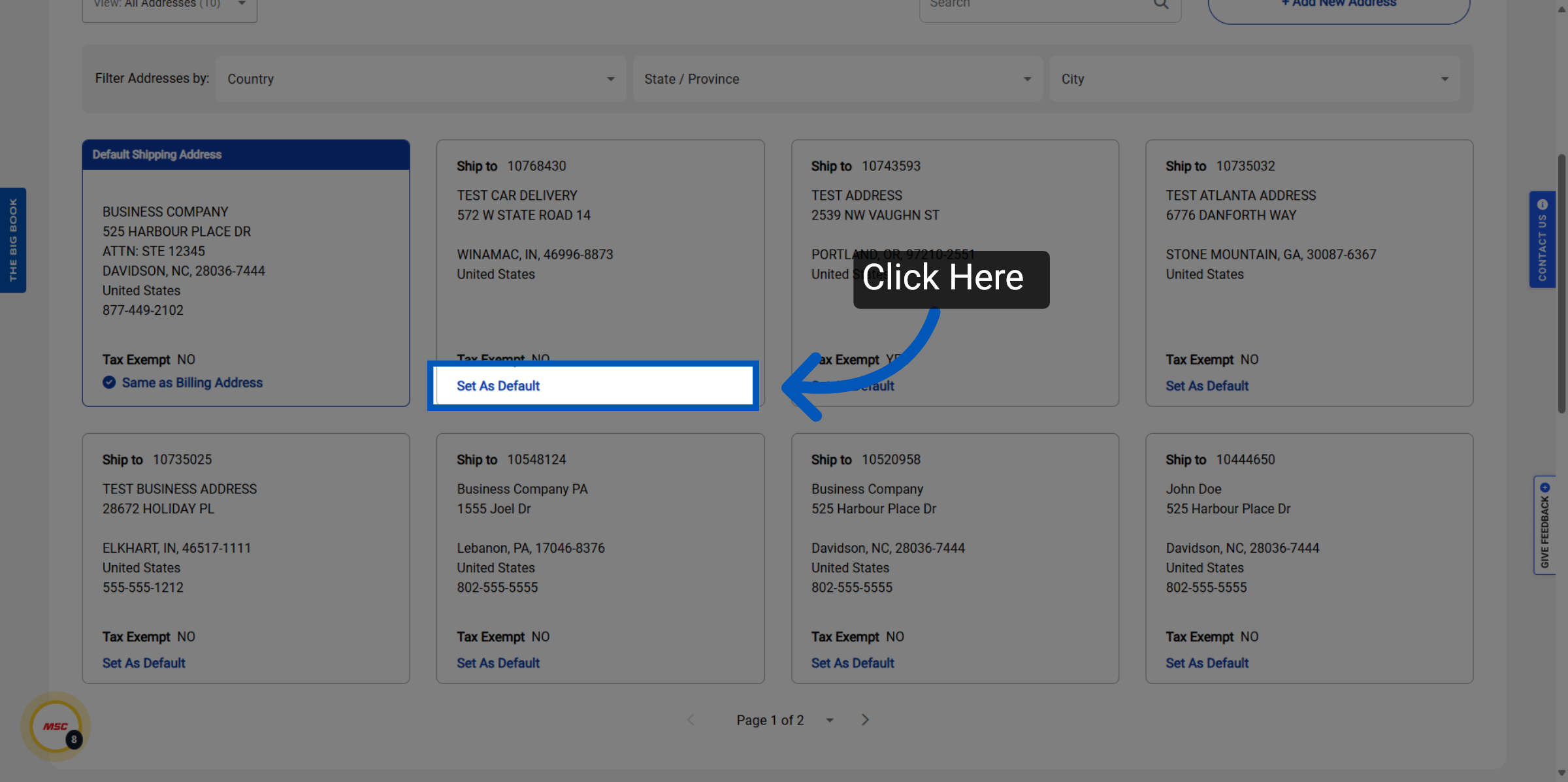
Setting Default: Any of your existing addresses can be set as the default shipping address for all orders by clicking here. This sets your MSC shipping options selection — click “Set As Default.”
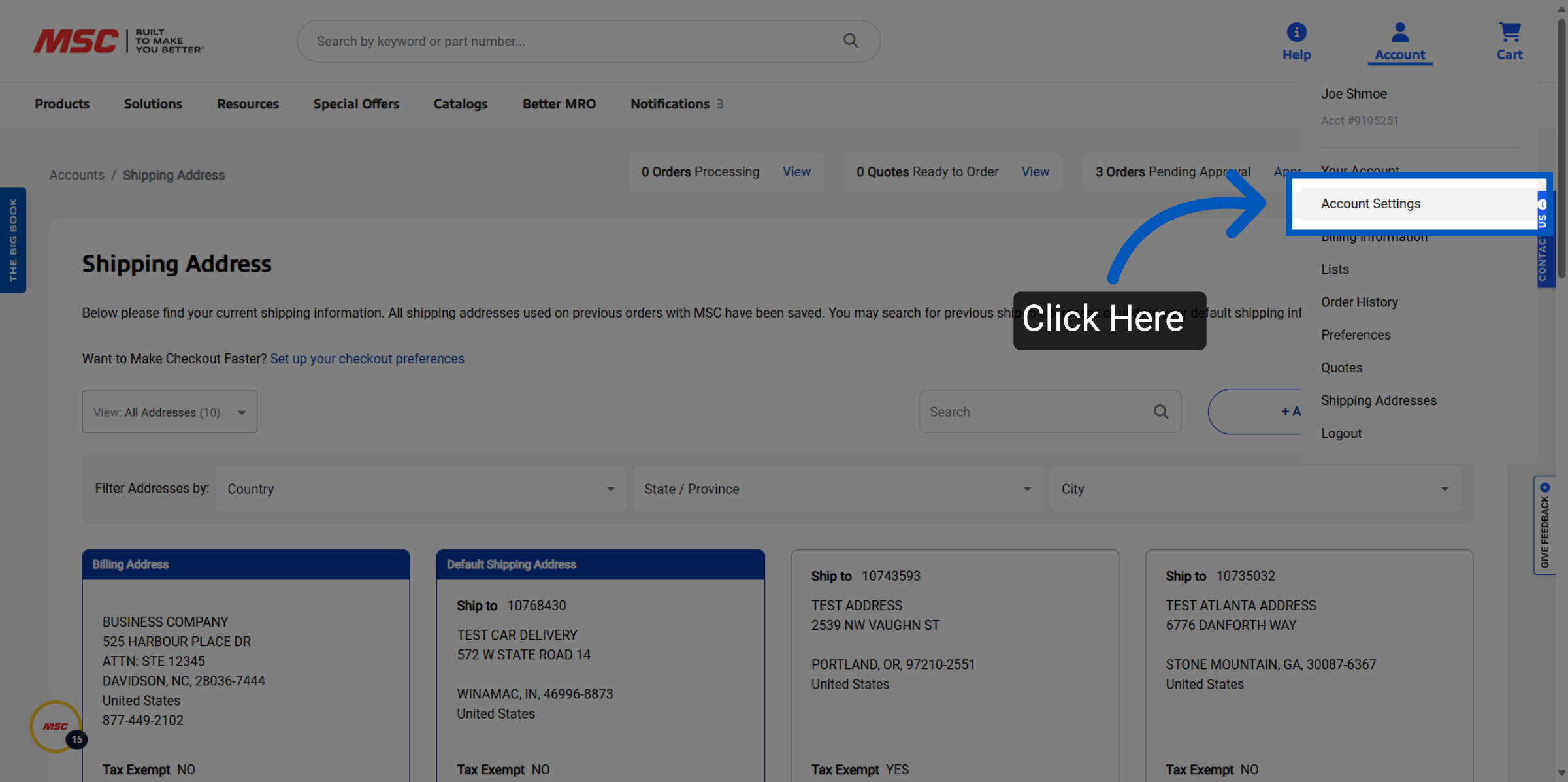
Admin Settings: As admin, you have controls available for managing the creation of new shipping addresses. This is part of your MSC shipping policy at the account level. To access these features click “Account Settings” to access account configuration options.
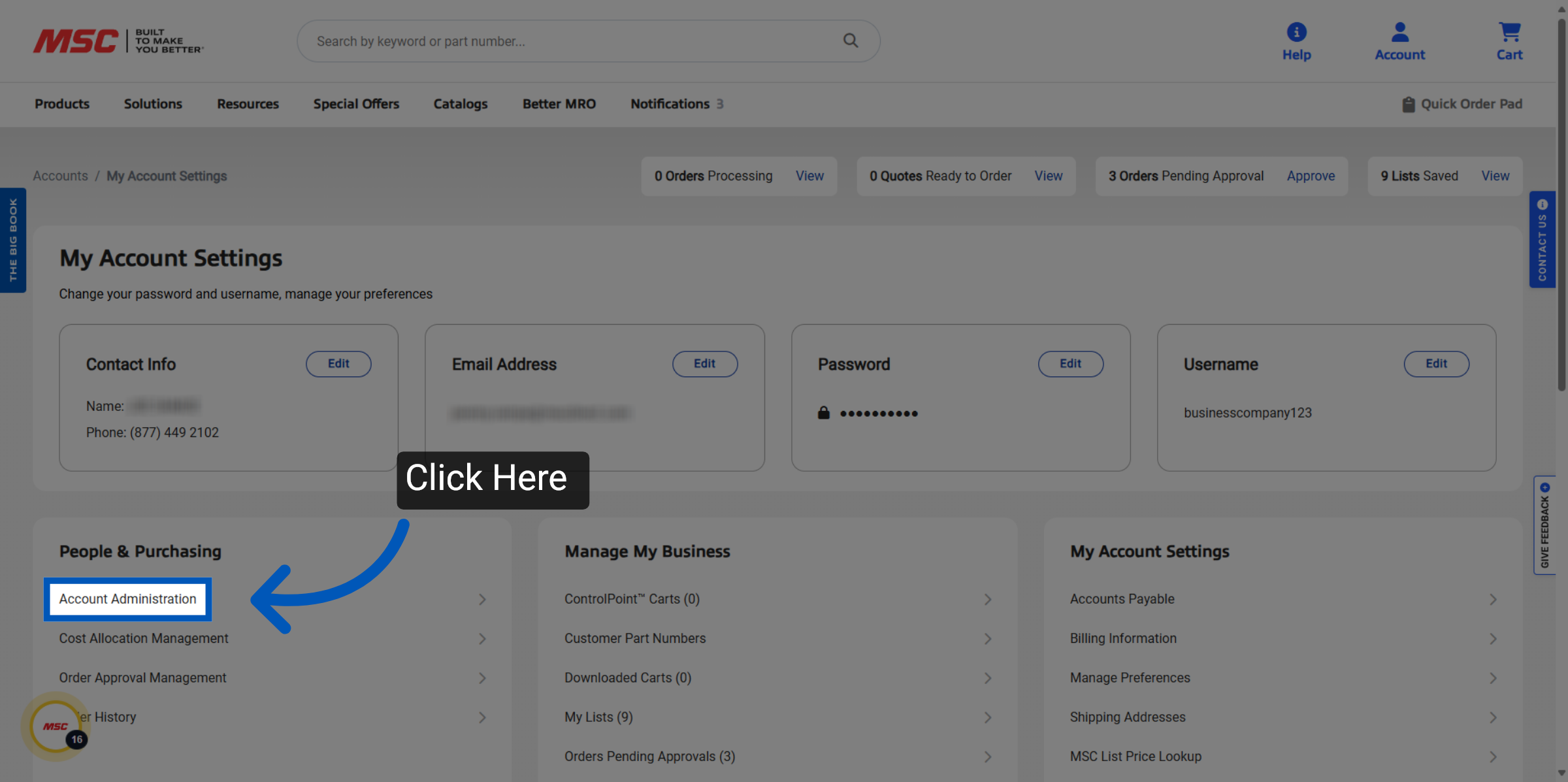
Click Account Administration: Click "Account Administration" to manage administrative settings.
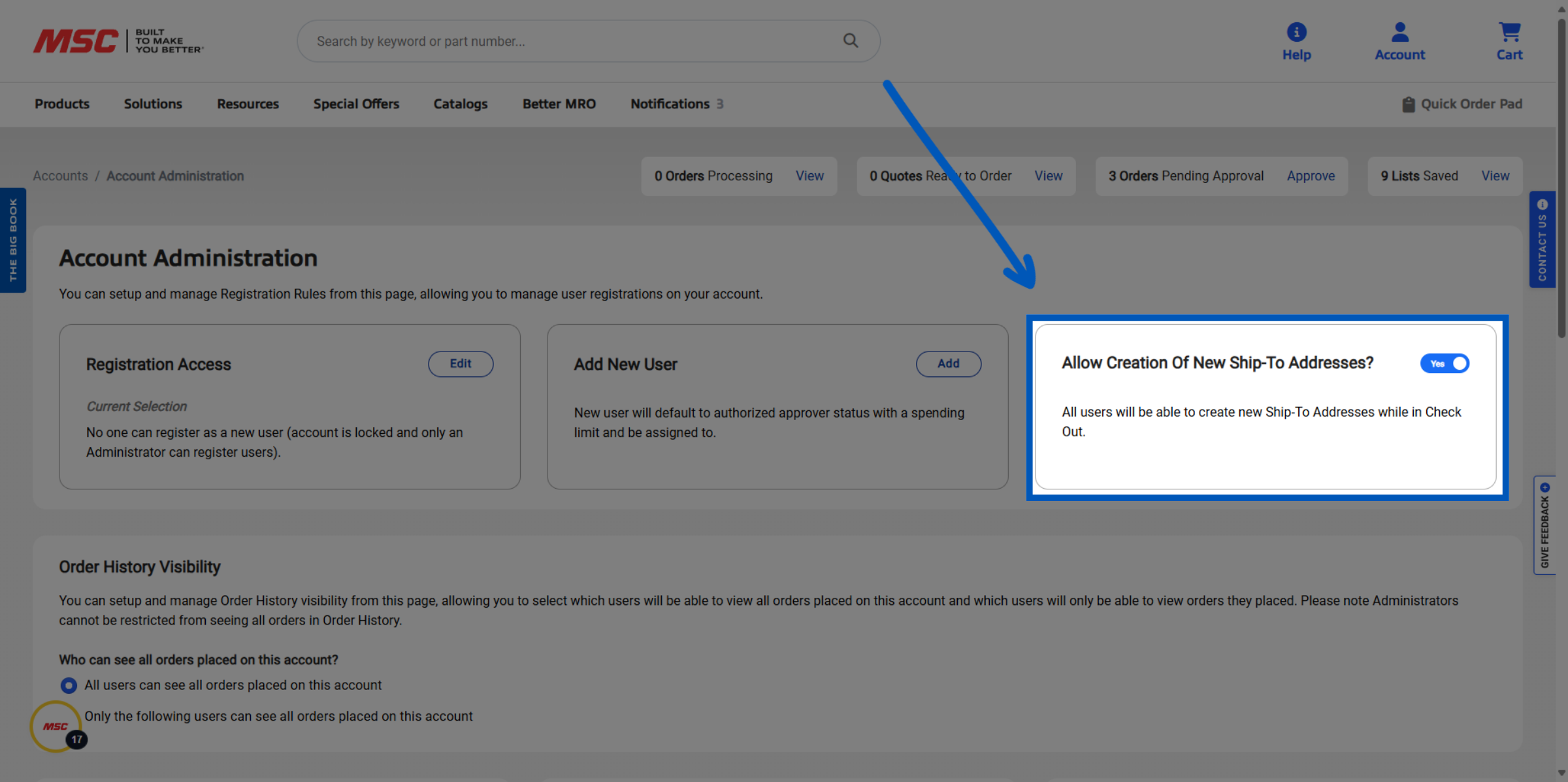
Admin Controls: Click the toggle switch to enable or disable the creation of new ship-to addresses. This is part of your MSC shipping policy. Selecting this option will prevent all users, including admins, from adding new ship-to addresses.
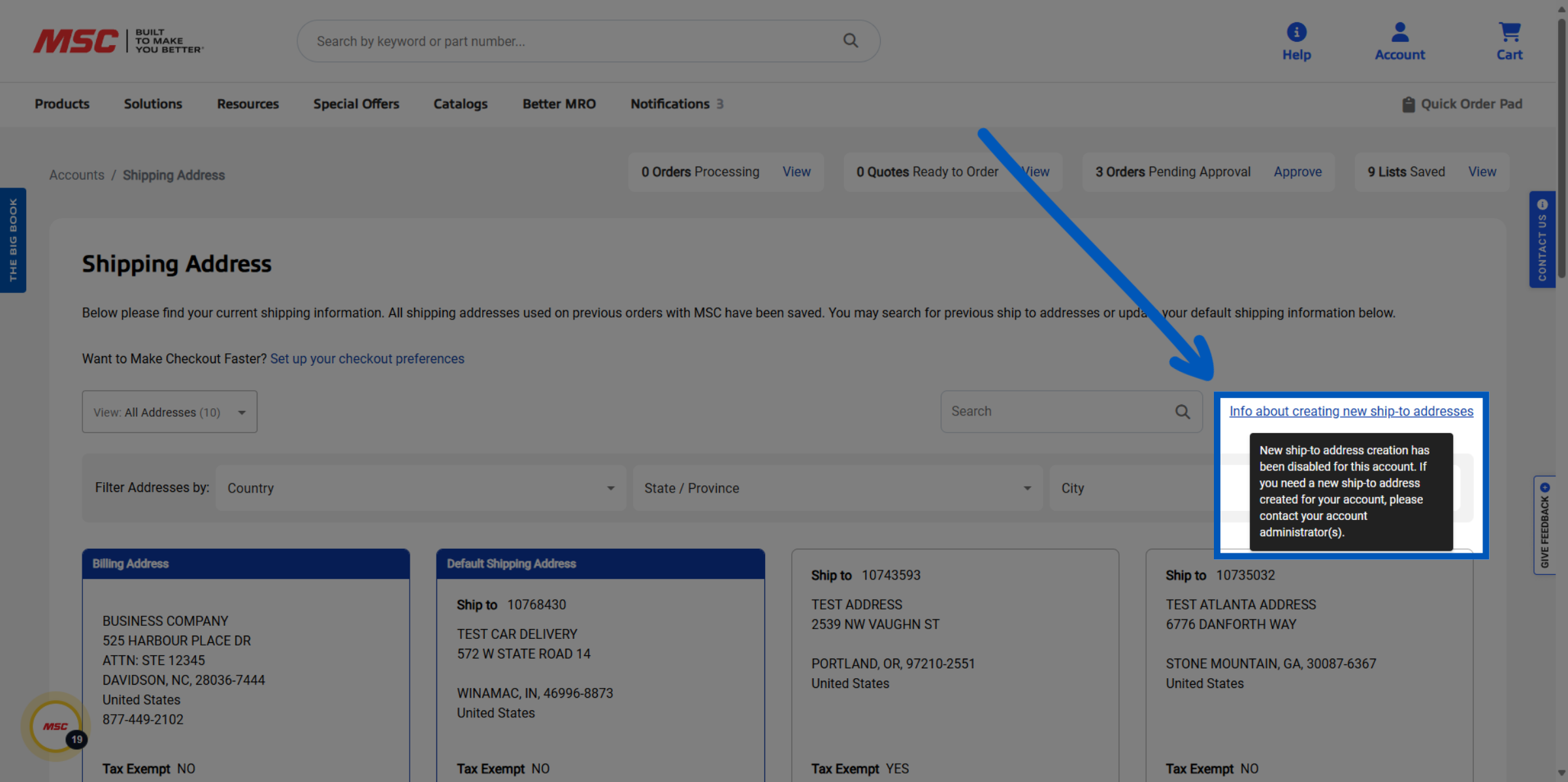
Restricted Access: Click the "Info about creating new ship-to addresses" link to learn more about address creation.
MSC Shipping Policy & MSC Delivery Options
MSC shipping policy allows account administrators to control which users can add new MSC shipping locations and how MSC delivery options are configured at checkout. By default, all account users can create new ship-to addresses; admins can restrict this through Account Administration. Each ship-to address can be individually configured for commercial or residential delivery, tax exemption status, and default assignment. For questions about available MSC shipping options or delivery eligibility for a specific location, contact the MSC customer care team at 1-800-645-7270.
More Account Management Resources
Back to Account ManagementTo request a quote, please login to your existing account or register a new one. This helps us provide you with a personalized experience and keep track of your requests.